New feature4 minute read
Travel charges: get paid for the miles you drive to customers
If you go to your customers, FullDiary can now add a travel charge to each booking: your own price per mile from where you set off, worked out from the real driving distance and shown to the customer before they book.

Director, DocMason and FullDiary
FullDiary is the booking system from DocMason for appointment businesses: an online booking page, a diary and reminders in one place. If your business goes to the customer, the price of a booking has never covered the drive. A customer twenty minutes away costs you fuel and time that one down the road does not.
A customer asked us whether FullDiary could charge for that, so now it can. You set your own rate, FullDiary works out the real driving distance to each customer's address, and the travel charge goes on their booking before they confirm.
How the charge is worked out
- Your price per mile. Whatever your business charges: 45p a mile, say. We do not suggest a rate, because it is your policy.
- One way. The miles are from where you set off to the customer. There is no charge for the journey back, so set your rate with that in mind.
- Free miles first. If you like, the first few miles cost nothing, so customers close by pay no travel at all.
- As far as you go. Set the furthest you travel for online bookings. Anyone further away is asked to ring you, and you can still book them in yourself.
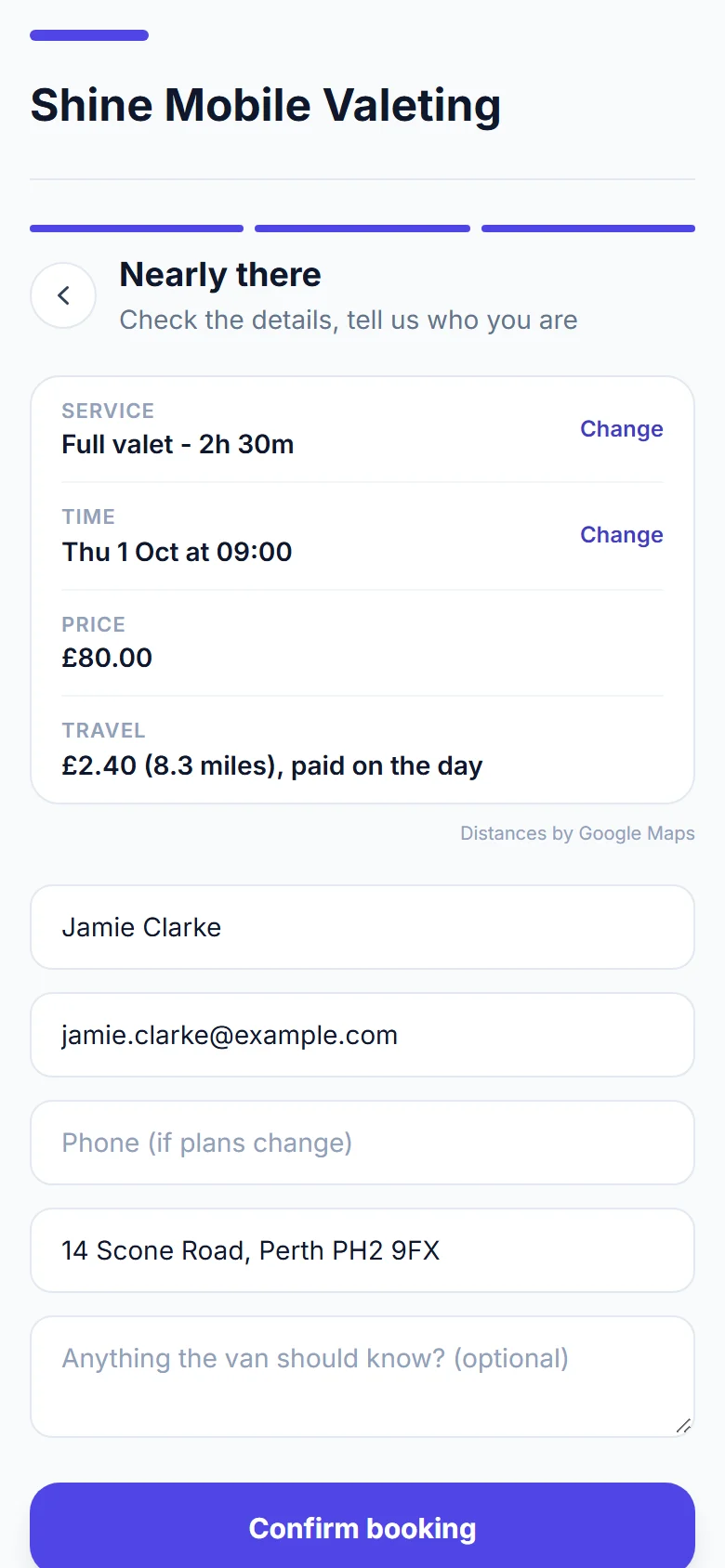
- Rounded up to the next 10p. At 45p a mile after 3 free miles, a customer 8.3 miles away pays £2.40 for travel.
What your customers see
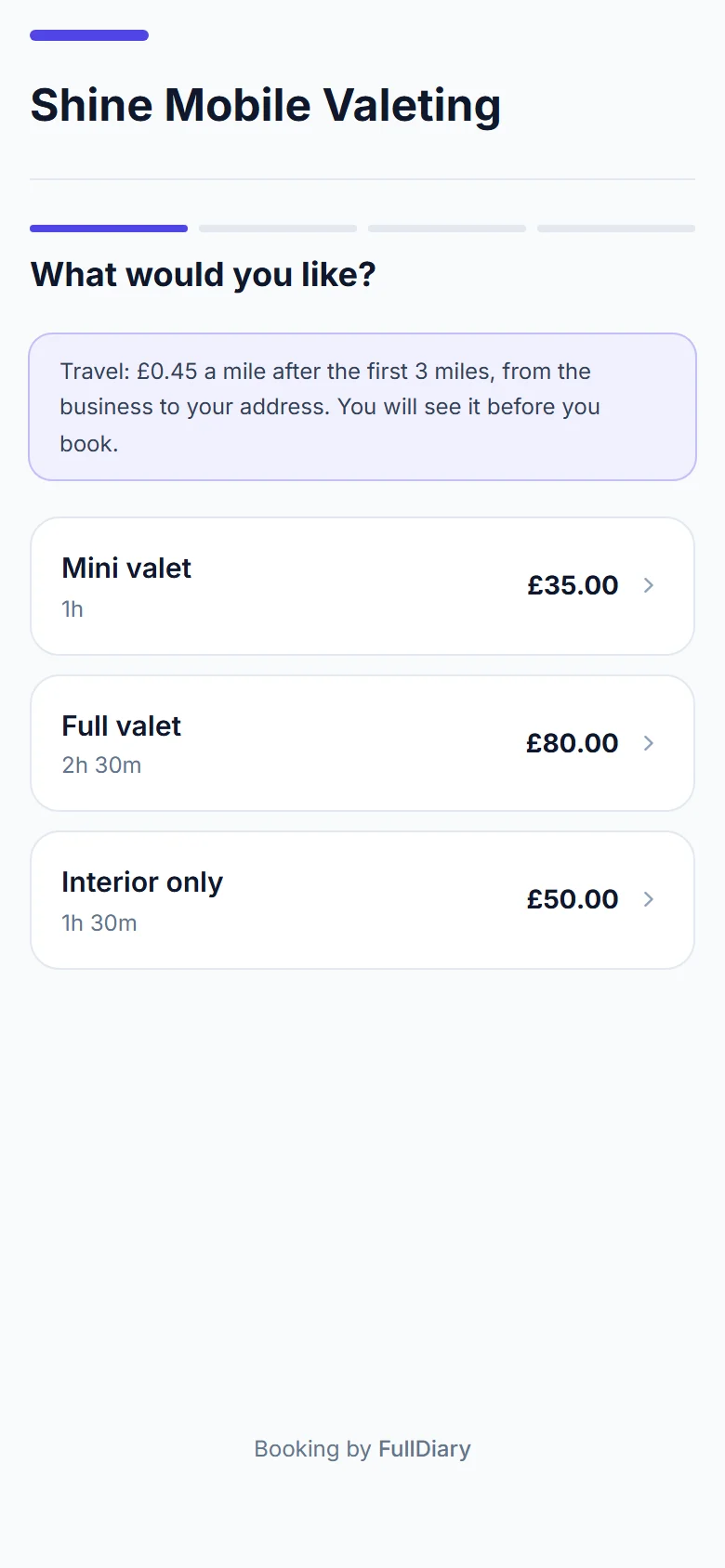
Your booking page explains the charge from the first step, before anyone picks a service. Once a customer has typed their address with its postcode, the travel charge appears in their summary with the distance, before they confirm: nobody books a charge they have not seen. Their confirmation email and their booking page show the travel on its own line.
A deposit is for the service alone, so the travel is paid on the day, or with the rest when you take the full price up front. A discount code never comes off the travel, and a package covers the service but not the journey.
In your diary
Open a booking to see its travel. You can change it, take it off, or press Work it out to measure it again. When you book someone in yourself, press Work it out under their address, or type the travel in: the furthest distance only applies to online bookings.
If a distance ever cannot be worked out while a customer is booking, the booking still goes through without the charge, and your new booking alert tells you to add it. When you turn a finished booking into an invoice, the travel has its own line.
Setting it up
Travel charges are part of Pro. Open Your shop (it takes your business's word, so it might say Your van or Your salon), choose Booking rules, and switch on Charge for travel. Add your price per mile, any free miles and the furthest you travel, and say where you set off from: your base, with its postcode, which customers never see. Turning it on also asks customers for their address when they book.
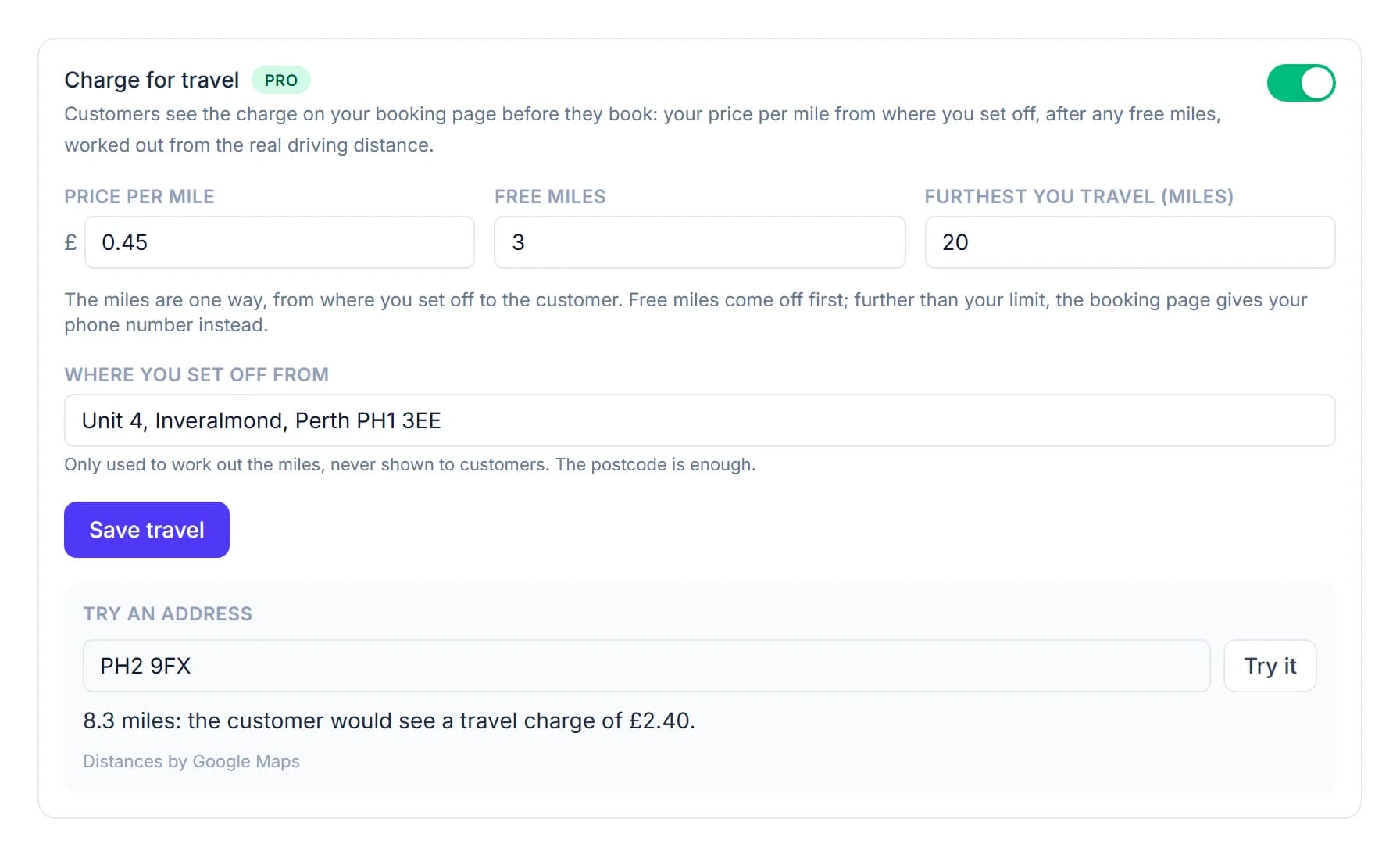
Before you save, Try an address shows what a customer at any postcode would pay. Distances come from Google Maps, and we keep the charge on each booking, never the distance.
The FullDiary app gets travel charges in its next update. Until then, the app's diary shows each booking's full price, travel included.
Questions people ask
- Is there a charge for the journey back?
- No. The miles are one way, from where you set off to the customer, so set your price per mile with the return journey in mind.
- What if a customer is further away than I travel?
- Your booking page asks them to ring you instead of booking online. You can still book them in from your diary, where Work it out has no limit.
- Do customers pay the travel up front?
- Only when you take the full price up front. A deposit is for the service alone, so otherwise the travel is paid on the day.
- Which plan is it on?
- Travel charges are part of Pro, at £9.99 a month a person. On the free plan you can see the Travel card, with a note about what Pro adds.
Read next
Written by
Matt SucklingDirector, DocMason and FullDiary
Matt runs Cynical Software Ltd, the Perthshire company that makes DocMason and FullDiary, and builds both.