The diary
The whole day on one screen.
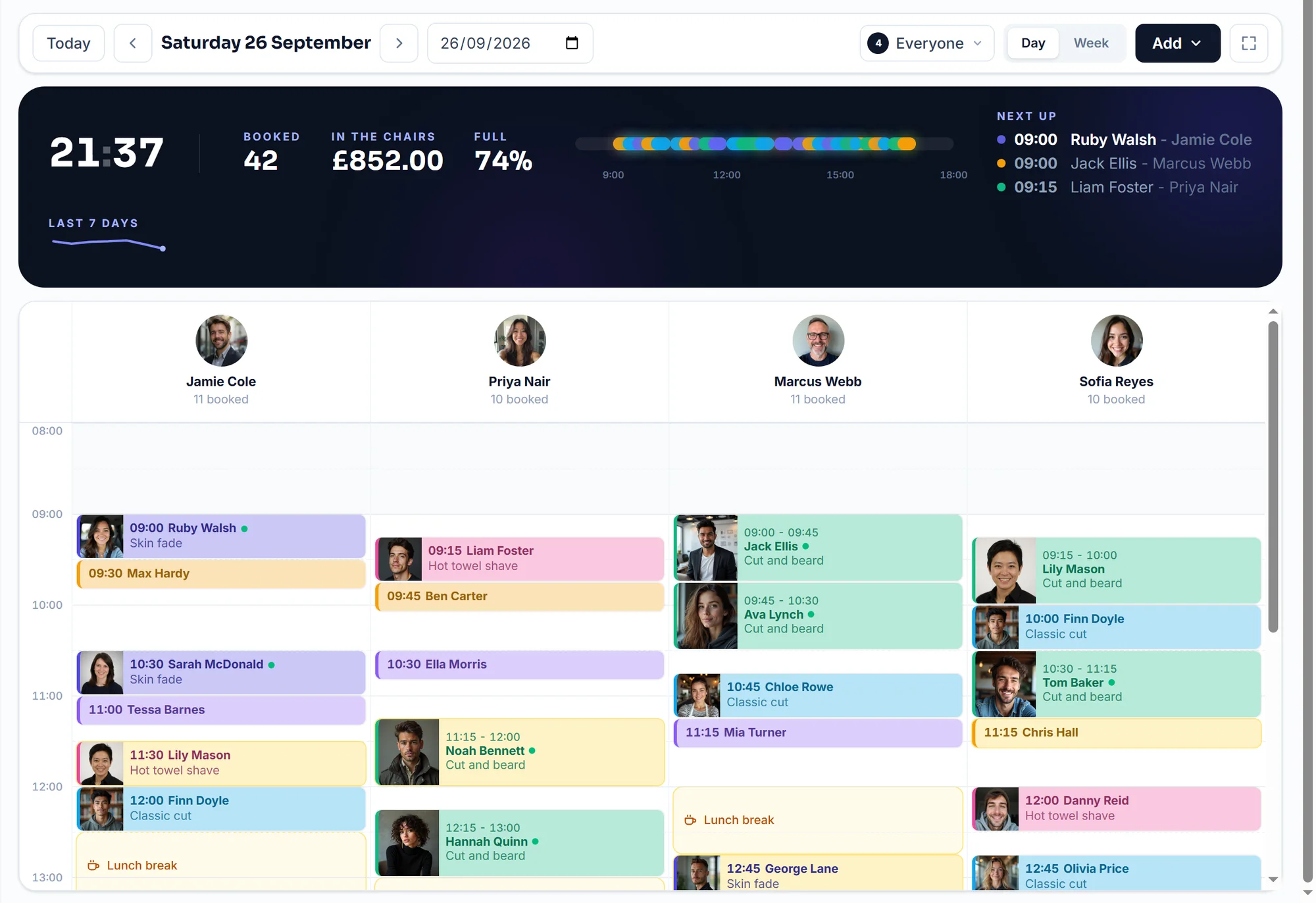
A column for each person, colour for each service, and the white space is the availability. Drag a booking to move it and the customer hears about it.
£9.99 a month, unlimited bookings, never a commission. Free to start: 20 bookings a month, no card.
The problem
A paper diary is fast until you need it in two places at once.
Only one person can hold it
Whoever has the book runs the desk. Anyone else guesses, and guesses get double booked.
Moving a booking means three jobs
Cross it out, write it again, then remember to tell them. The third one is the one that gets forgotten.
You cannot see the gaps
A page of handwriting does not show you the empty hour on Thursday, which is the hour you could have sold.
How it works
Three steps, then it runs itself.
- 01
Open it in the morning
Today's bookings, who is in, what is expected in the till, and what needs you. The now-line moves down the screen as the day goes.
- 02
Drag when the day changes
Hold a booking and it lifts out; drop it on another time or another person. It saves as you let go, and the customer gets the new time with a fresh calendar file.
- 03
Tap a gap to fill it
Click any empty slot and a new booking starts there, with the time already filled in. Start times land on five minutes, not just quarter hours.
The real thing
The working product. Not a mockup.
Every picture on this page is a capture of the working product, taken from a shop running on FullDiary.
Moving a booking between two people. That is the whole gesture. (A real screen recording.)
What you get
The details that matter on a busy day.
It cannot be double booked
Not by you, not by the booking page, not by two customers at once. The database enforces it, so the second one is refused rather than accepted and sorted out later.
Everyone sees the same day
The desk, the chair and your phone. A staff login opens the diary and nothing else, so somebody can run the day without seeing the takings.
Built for a real shift
Blocked time for lunch, training or the school run. Repeat bookings for the customer who comes every third Tuesday. A waiting list for the day that is full.
A screen for the wall
Zen mode strips it back to the columns and the clock, for the iPad on the counter.
FAQs
Questions, answered straight
The things people ask about the diary before they sign up.
Something else on your mind? Ask a human.
Does it work on a phone?
Yes, and there is a FullDiary app for iPhone and Android as well as the website. The phone shows one day at a time, which is the right amount of diary for a phone.
Can I have more than one member of staff?
Yes. Each one gets a column and their own colour, their own hours and their own services. Someone can be bookable online or kept off the booking page entirely.
What about two shops?
Multiple stores are supported: each has its own address, hours and people, and the diary filters to one at a time.
Will moving a booking tell the customer?
Yes. They get a new-time email with an updated calendar file, and any reminders follow the new time.