Discount codes
A code that fills the quiet days.
Write a code, say what it takes off and who it is for, and customers type it on your booking page. Regulars and VIPs can get theirs without typing anything.
- One-time or many uses
- For regulars and VIPs
- Applied automatically
Pro at £9.99 a month a person, never more than £39.99: unlimited bookings, never a commission. Free to start: 20 bookings a month, no card.
The problem
A discount on paper is a discount nobody tracks.
The offer lives in a story
Ten percent off for the first ten who book, posted at nine, forgotten by the time somebody rings. Who got it, and who is still owed it, is anyone's guess.
Loyalty is a word
The regular who comes every fortnight pays the same as a stranger. You meant to do something about it.
The discount is in your head
A fiver off at the till, unwritten. At the end of the month the takings do not match the diary and nobody knows why.
How it works
Write it once, let it work.
- 01
Write the code
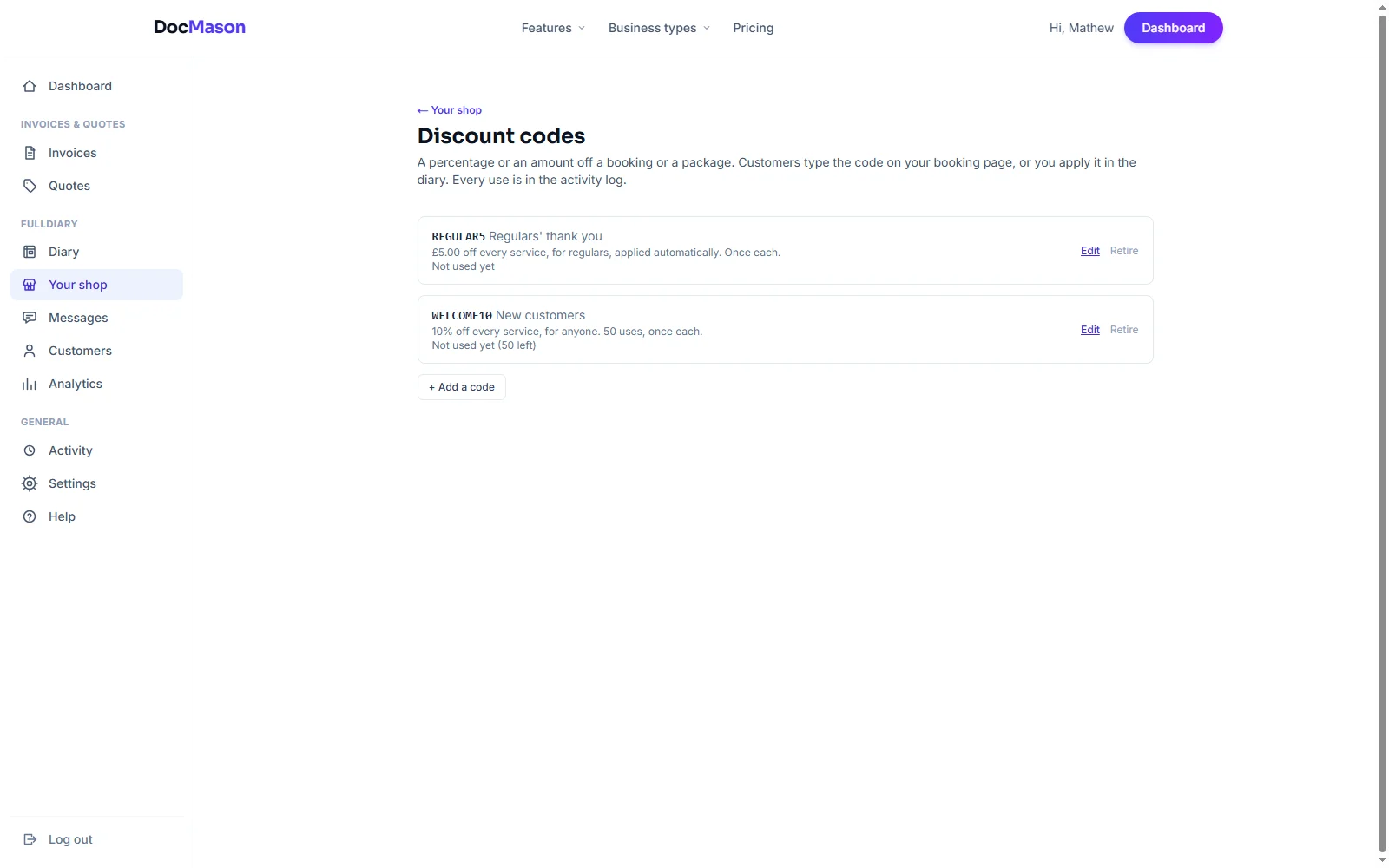
SPRING10, say: a percentage or an amount off, which services and packages it covers, who can use it and how many times. A minute under Your shop.
- 02
They type it when they book
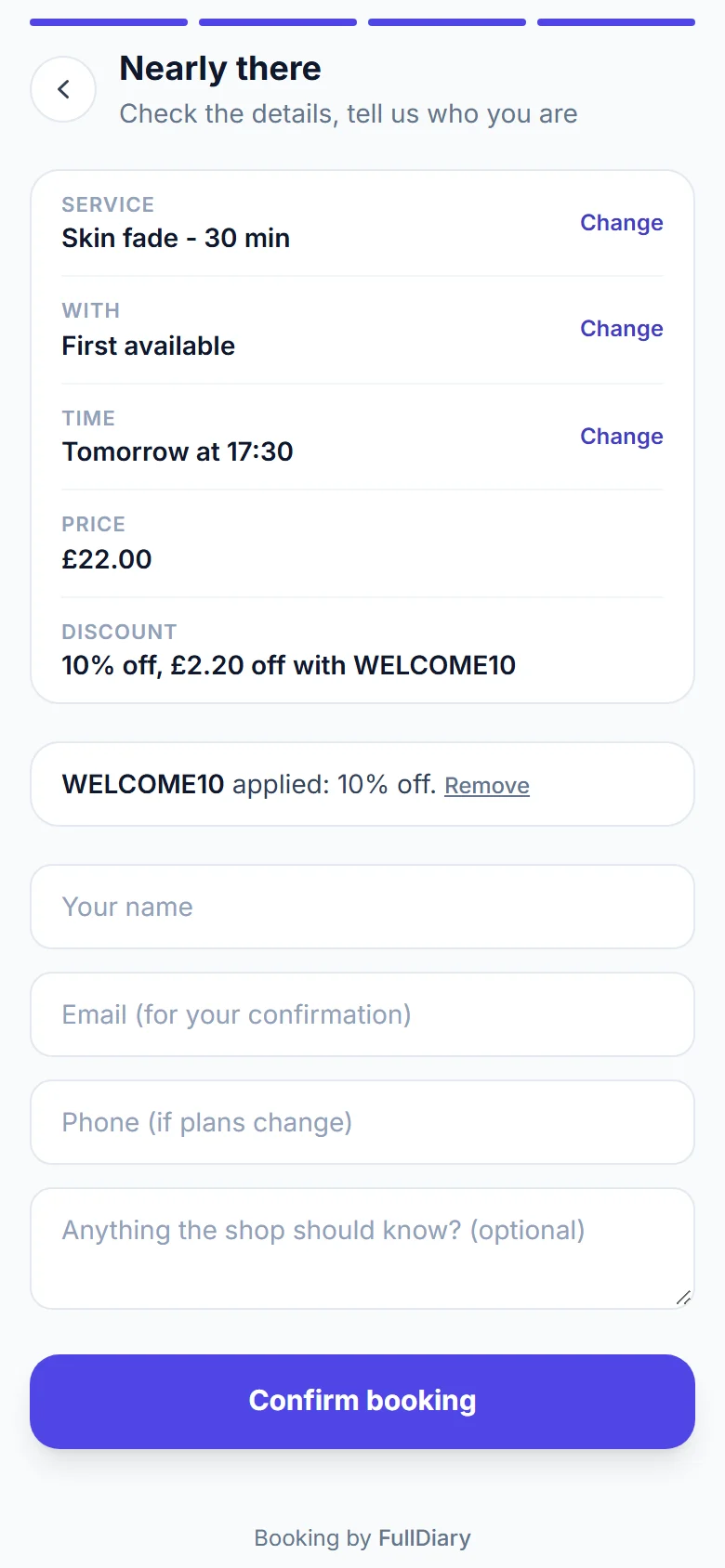
Once a service is chosen, a box on your booking page asks for it. They see what comes off and what is left to pay before they confirm.
- 03
The books stay right
The diary shows the discounted price, the confirmation email shows the discount, the invoice carries it as a line, and the activity log says who used what.
See it working
The code on both sides.
Yours to write under Your shop; theirs to type on the booking page.
What you get
The controls you would want.
One-time, or a hundred times
A total number of uses, once per customer, a minimum spend, and the dates it runs between. Retire it whenever you like; every use stays on record.
For everyone, or for the few
Anyone with the code, existing customers only, Regulars (five finished bookings), VIPs (your top tenth by spend) or people with a standing appointment. The badges are worked out for you.
Applied by itself
Tick one box and a code for regulars applies the moment they book, with nothing to type. A quiet thank you that costs nothing to run.
In the diary too
Type a code, an amount or a percentage into any booking. Staff can give one; every use is in the activity log under their name.
FAQs
Questions? Answered straight
The things people ask about discount codes before they sign up.
Something else on your mind? Ask a human.
Can a code be used only once?
Yes. Set the total uses to one and it is spent on the first booking that carries it. Or leave it at once per customer, so everyone can use it once.
Can I limit it to certain services?
Yes. A code can cover every service, only the ones you tick, packages, or both. A code for colour takes nothing off the cut booked with it.
How does a discount for regulars work?
Choose Regulars or VIPs as who can use it. Regular is five or more finished bookings; VIP is your top tenth by spend over the last year, both worked out automatically. Tick apply automatically and they get it with nothing to type.
What happens to the deposit?
The deposit is still what the service asks for, but never more than the discounted price. A £5 code on a £20 booking with a £10 deposit still takes £10 now and £5 on the day.
Does it work on packages?
Yes, if you say so. A code can cover the packages sold on your booking page, and the customer pays the discounted price through your own Stripe account.
Is it on the free plan?
No. Discount codes are part of Pro, along with packages, the photo gallery and text reminders.