Online booking system
The simple
booking system
for your business.
FullDiary lets customers book online, manages your diary and keeps everything in one place.
No card required
- Reduce no-shows
- Set up in minutes
- Get more bookings
Built for businesses like yours
- Online bookings 24/7Customers book themselves in.
- Automated remindersReduce no-shows.
- Deposits & paymentsTake payment when they book.
- Customer managementKeep everything in one place.
How it works
Your customers book. You manage everything.
Give customers an easy way to book appointments online, 24/7.
- 01
Choose
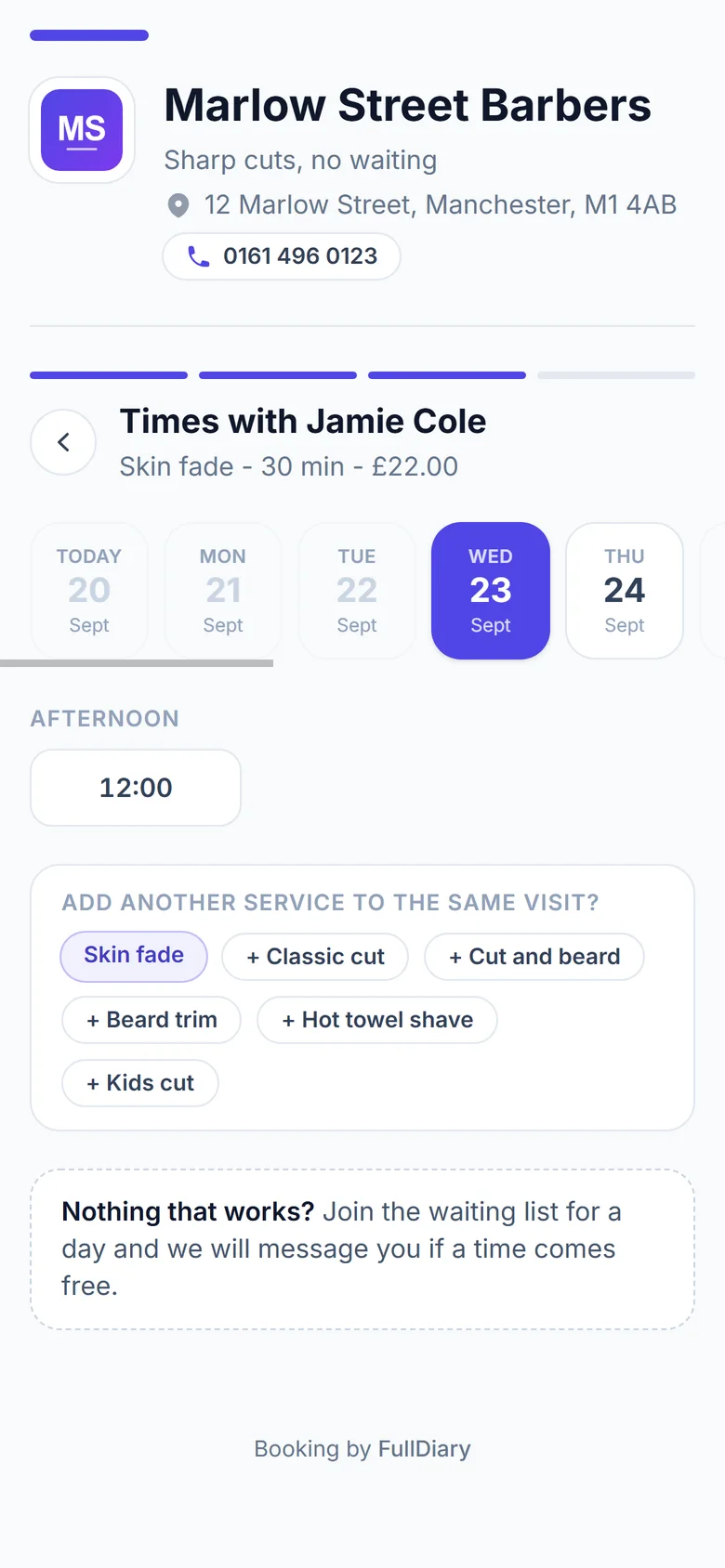
Customers choose a service and see your available times.
- 02
Book
They enter their details and confirm their appointment.
- 03
Done
The booking instantly appears in your FullDiary.
Your booking page
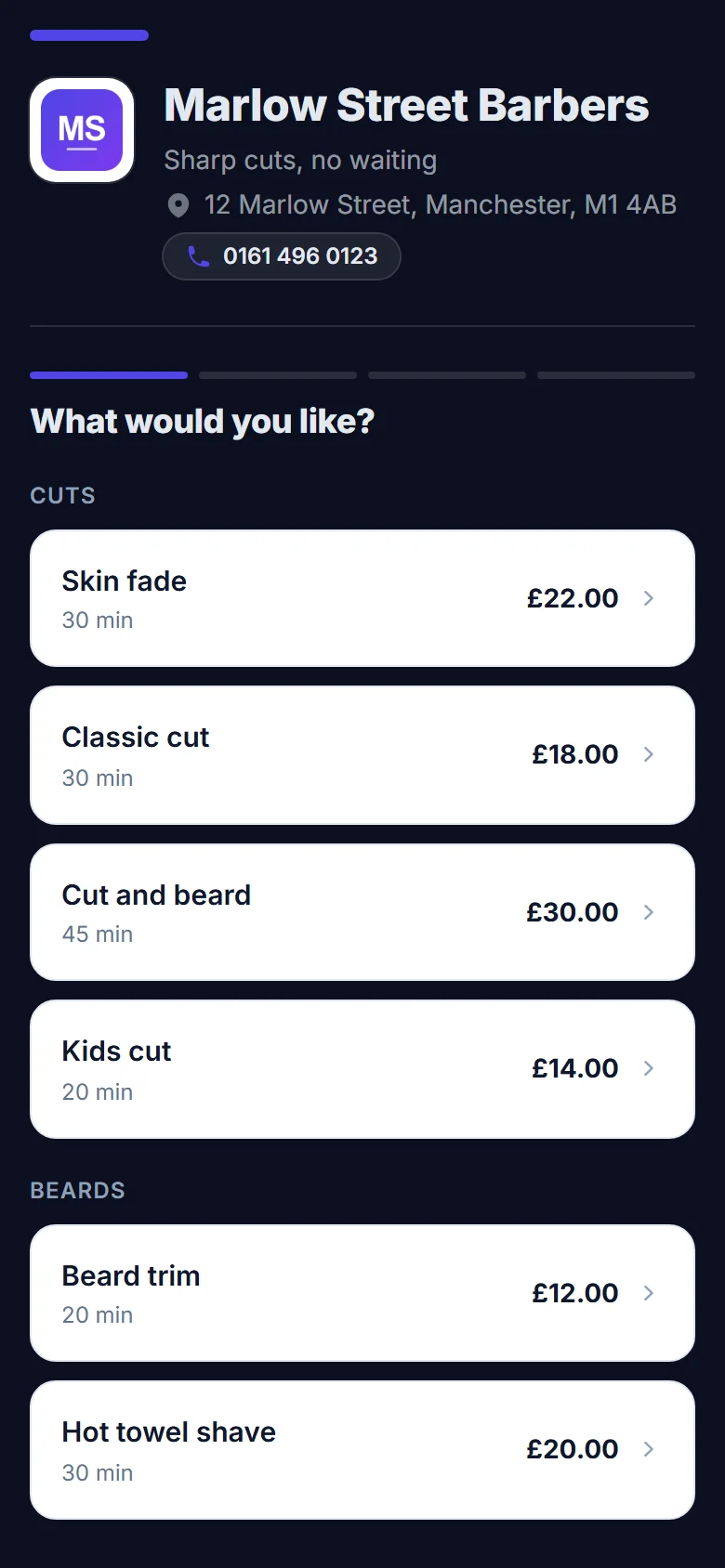
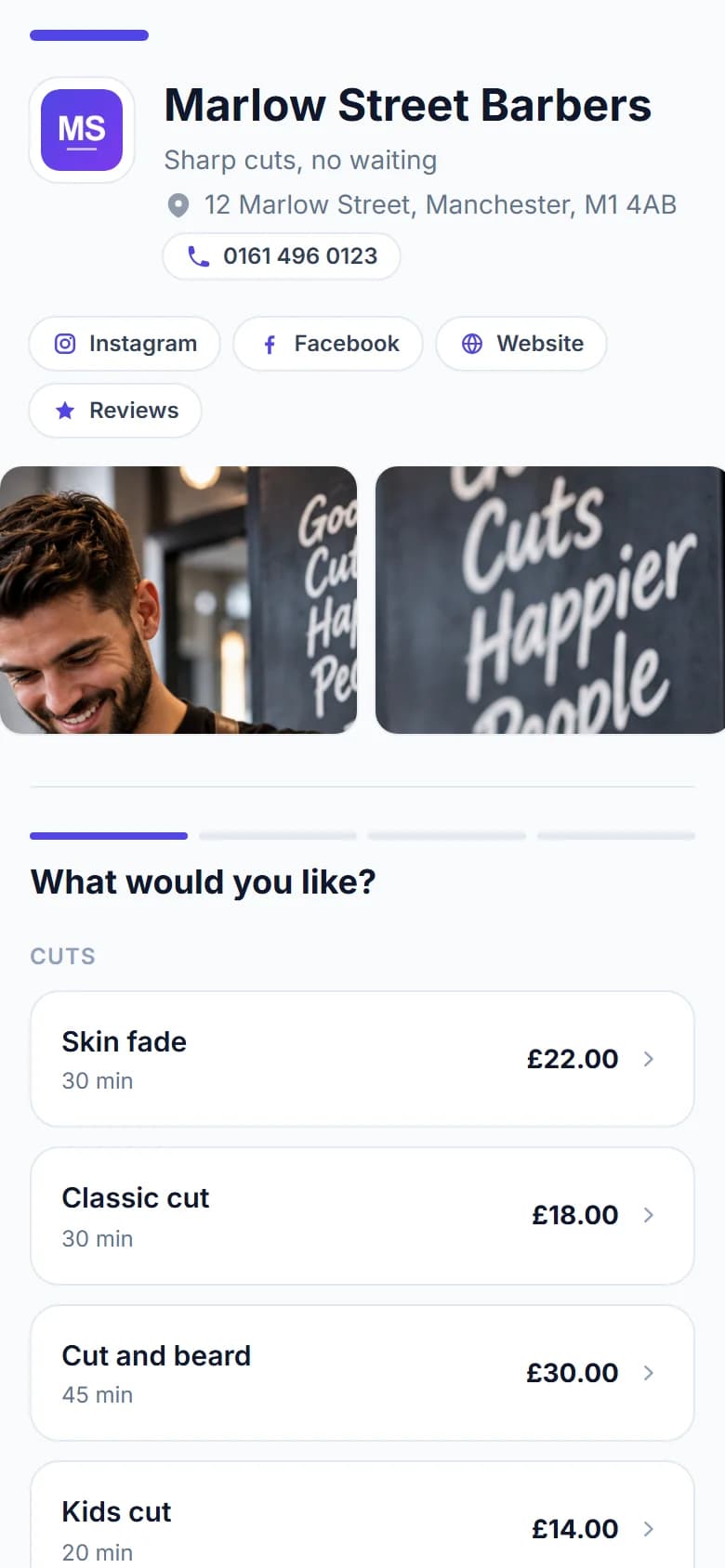
Your booking page. Your brand.
Make your booking page look like your business, not another generic booking app.
On every plan
- Your logo and brand colour
- Eight page styles, light or dark
- A photo of your shop across the top
- Heading fonts and a line under your name
On Pro
- A gallery of up to eight photos
- Instagram, Facebook, TikTok and website buttons
Savednow
Your page has its new look. Customers see it next time they tap your link.
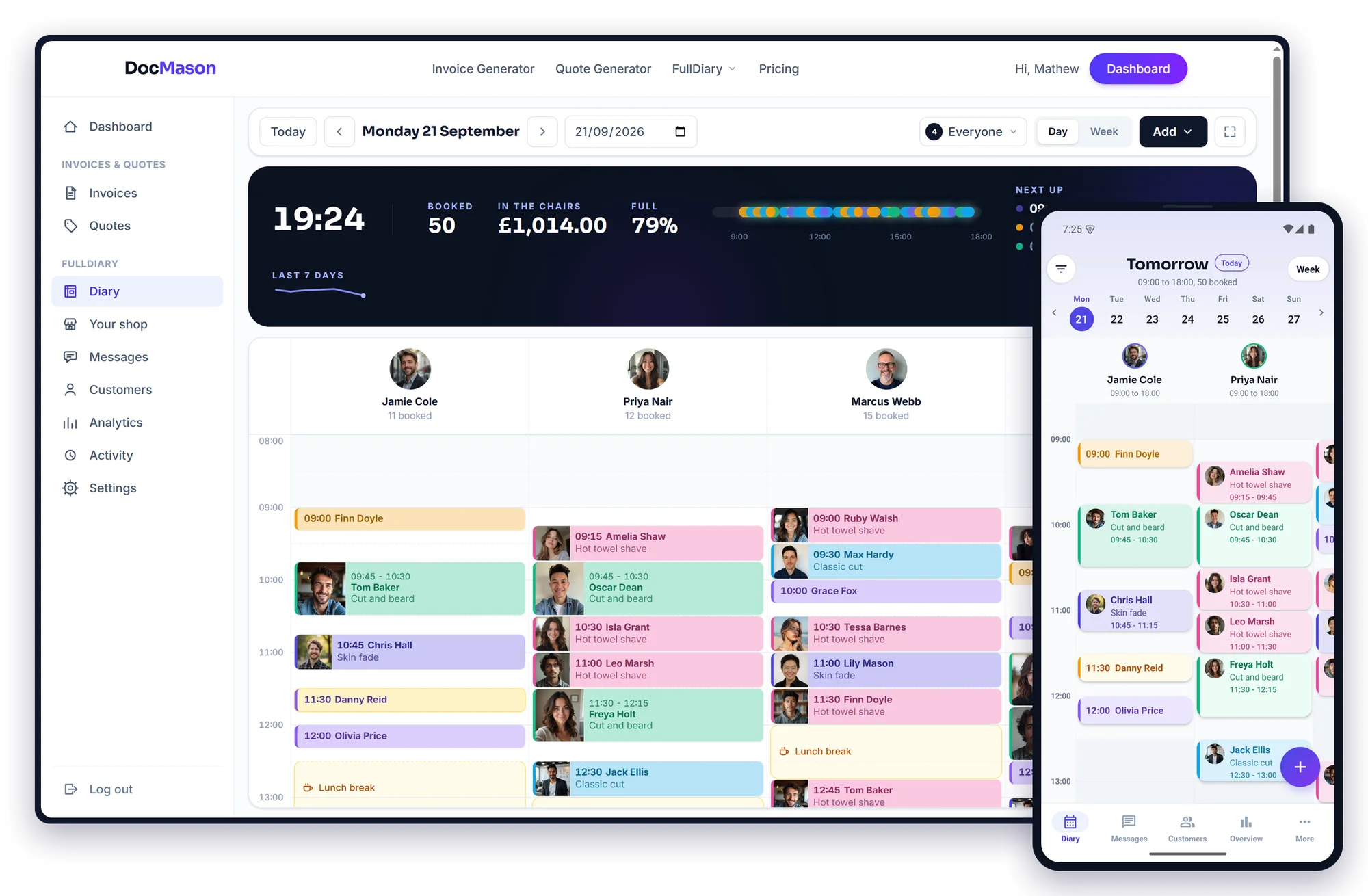
The FullDiary diary
Your whole day. One simple diary.
See every appointment, staff member and available time at a glance.
- Bookings
- Staff
- Walk-ins
- Customers
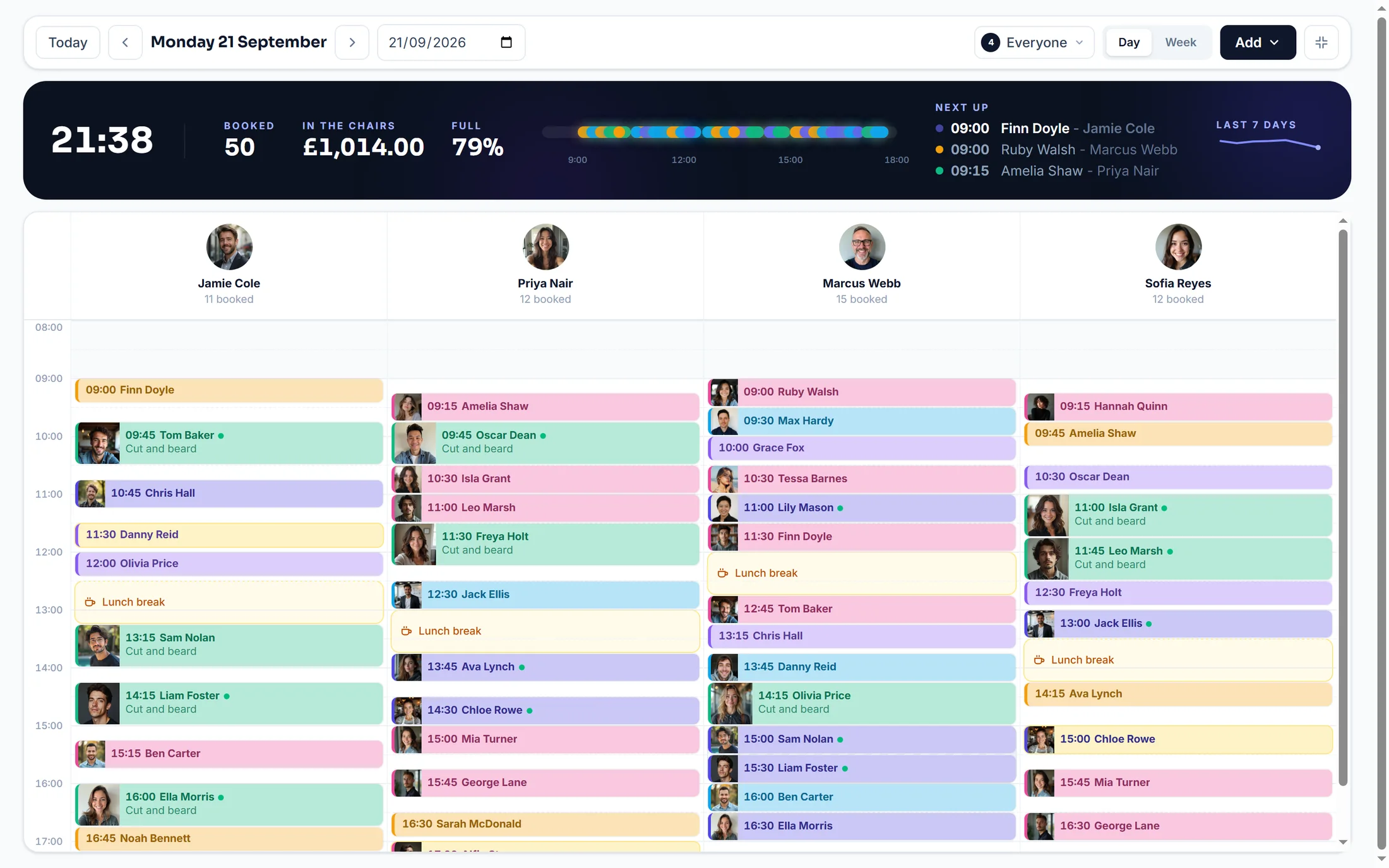
Drag bookings to move them. Add walk-ins. Mark appointments as done, cancelled or no-show.
Use FullDiary on your computer, phone or iPad. The same diary, wherever you are.
Before they arrive
Less chasing. More doing.
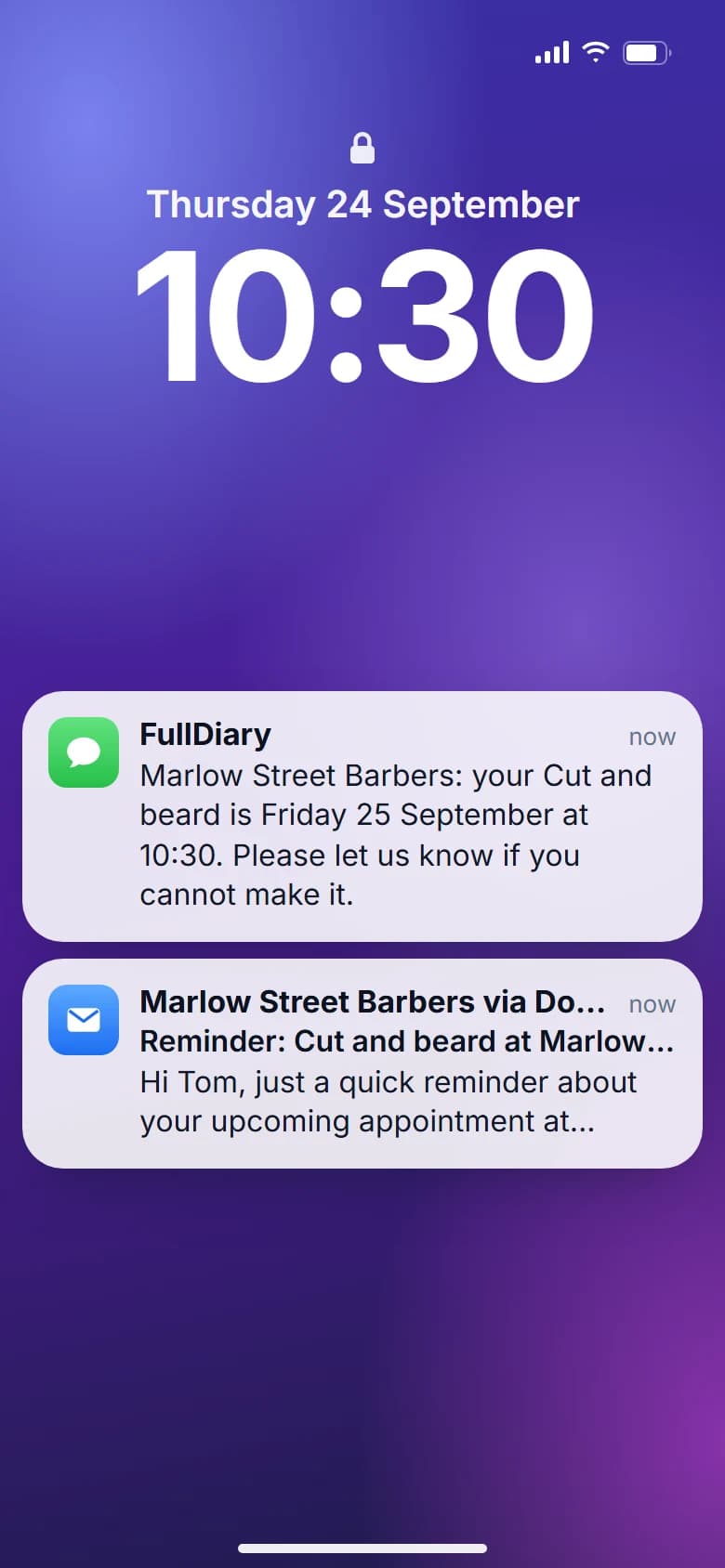
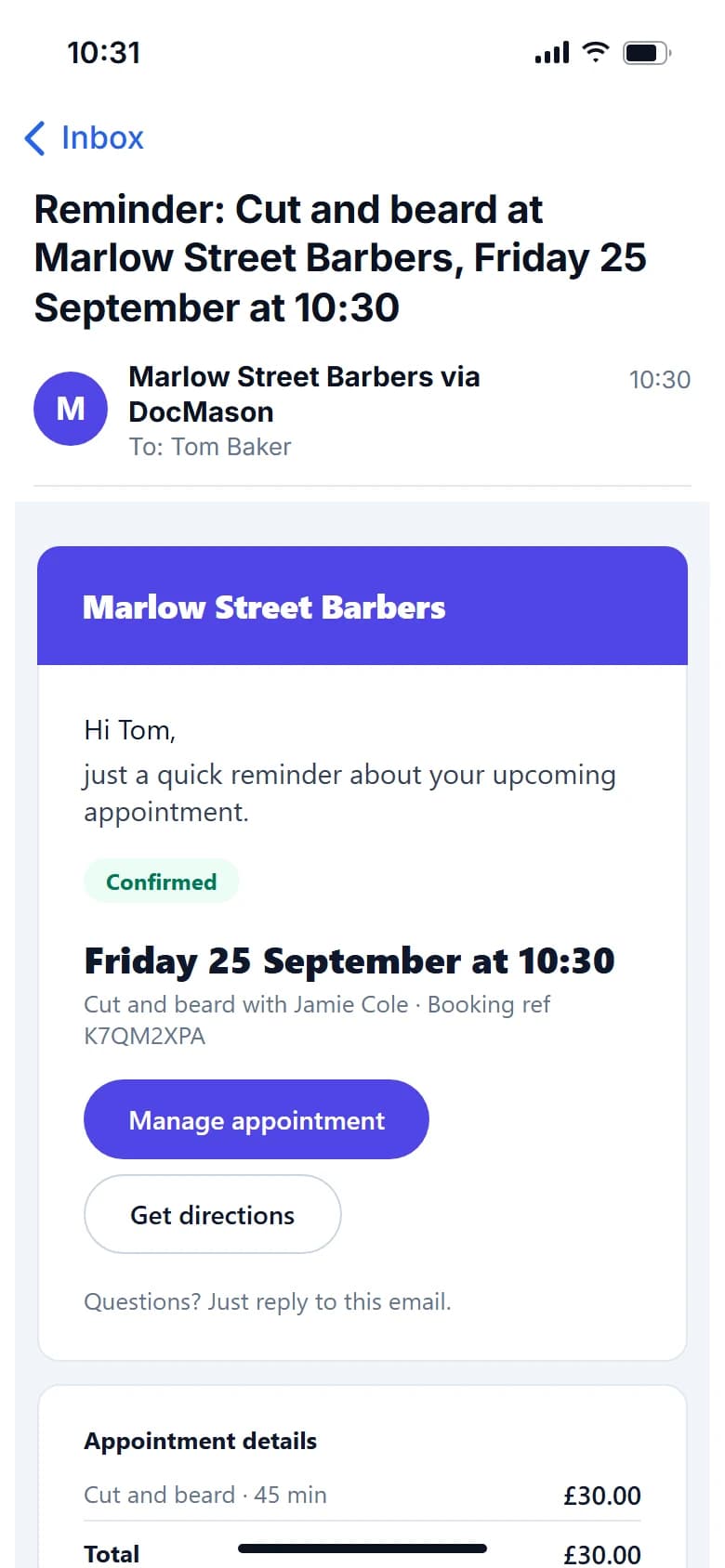
FullDiary keeps customers updated and gets the information you need before their appointment.
- Booked
- Confirmed
- Reminder
- Appointment
Keeps them updated
- Booking confirmations
- Appointment reminders
- Booking changes
- Customer messages
Gets the answers first
- Patch tests
- Consent forms
- Questionnaires
- Customer information
Customers complete forms before they arrive. Their answers stay with their booking.
Payments
Get paid when they book.
Take a deposit or full payment when customers book online.
- Connect your own Stripe account
- Take deposits or full payment
- No booking commission
- Go to your customers? Charge for travel by the mile, on Pro
Deposit received
£20.00
- Customer
- Sarah McDonald
- Service
- Skin fade
- When
- Saturday, 10:30
- Left to pay on the day
- £2.00
The money lands in your Stripe account, not ours. The slot is held while they pay.
Your customers
Know your customers. Keep them coming back.
Every booking builds a useful customer record.
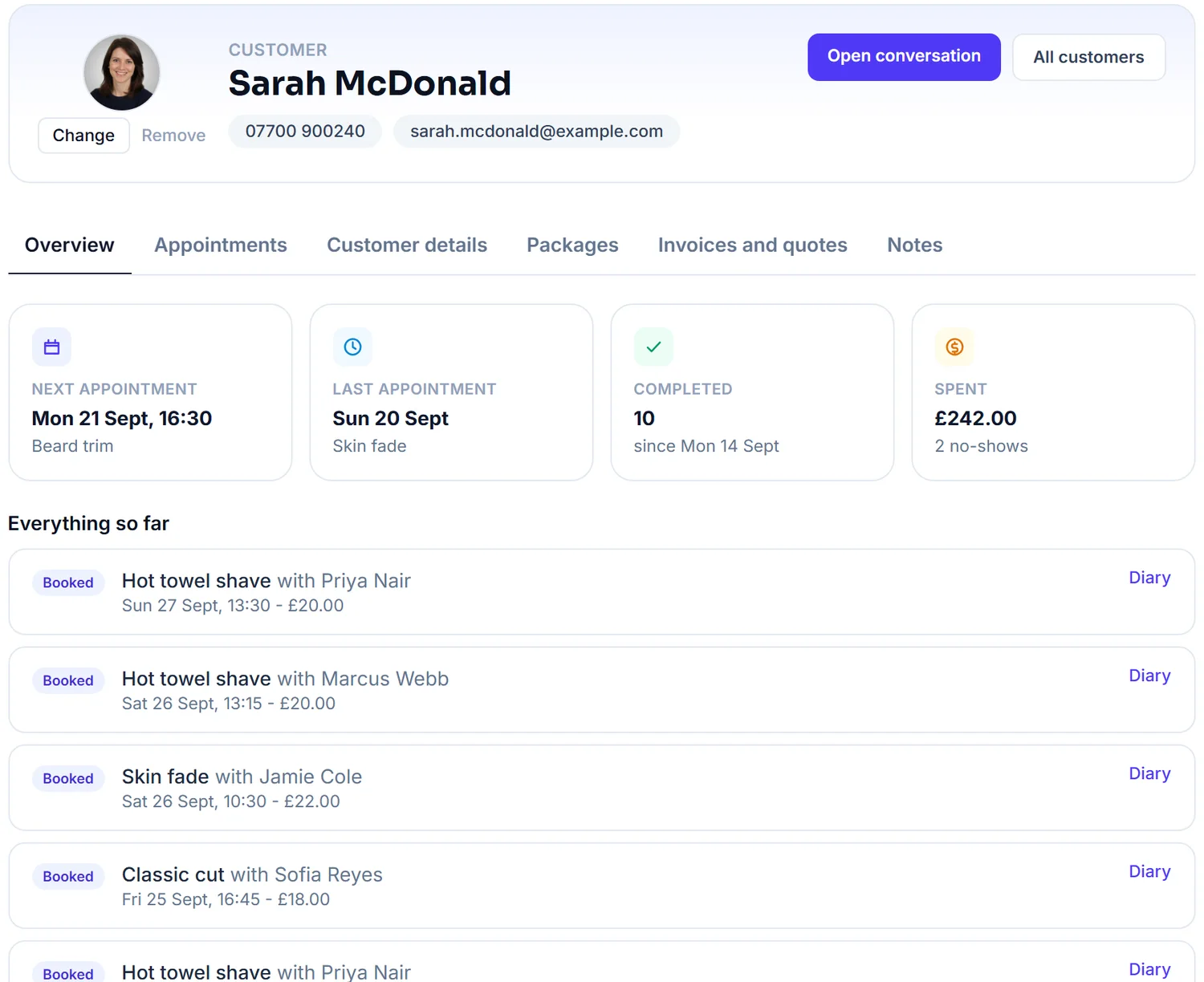
Customer details
Keep contact details in one place.
Appointment history
See what they have booked before.
Notes and forms
Keep useful information attached to the customer.
Rebooking
Make it easy to get customers booked in again.
And there's more
Small features that make a big difference.
Waiting list
Fill cancelled appointments faster.
Regular bookings
Keep weekly customers coming back.
Packages
Sell and manage blocks of sessions.
Multiple services
Customers can book more than one service.
Multiple locations
Manage your locations from one place.
QR booking
Put your booking page wherever customers can scan it.
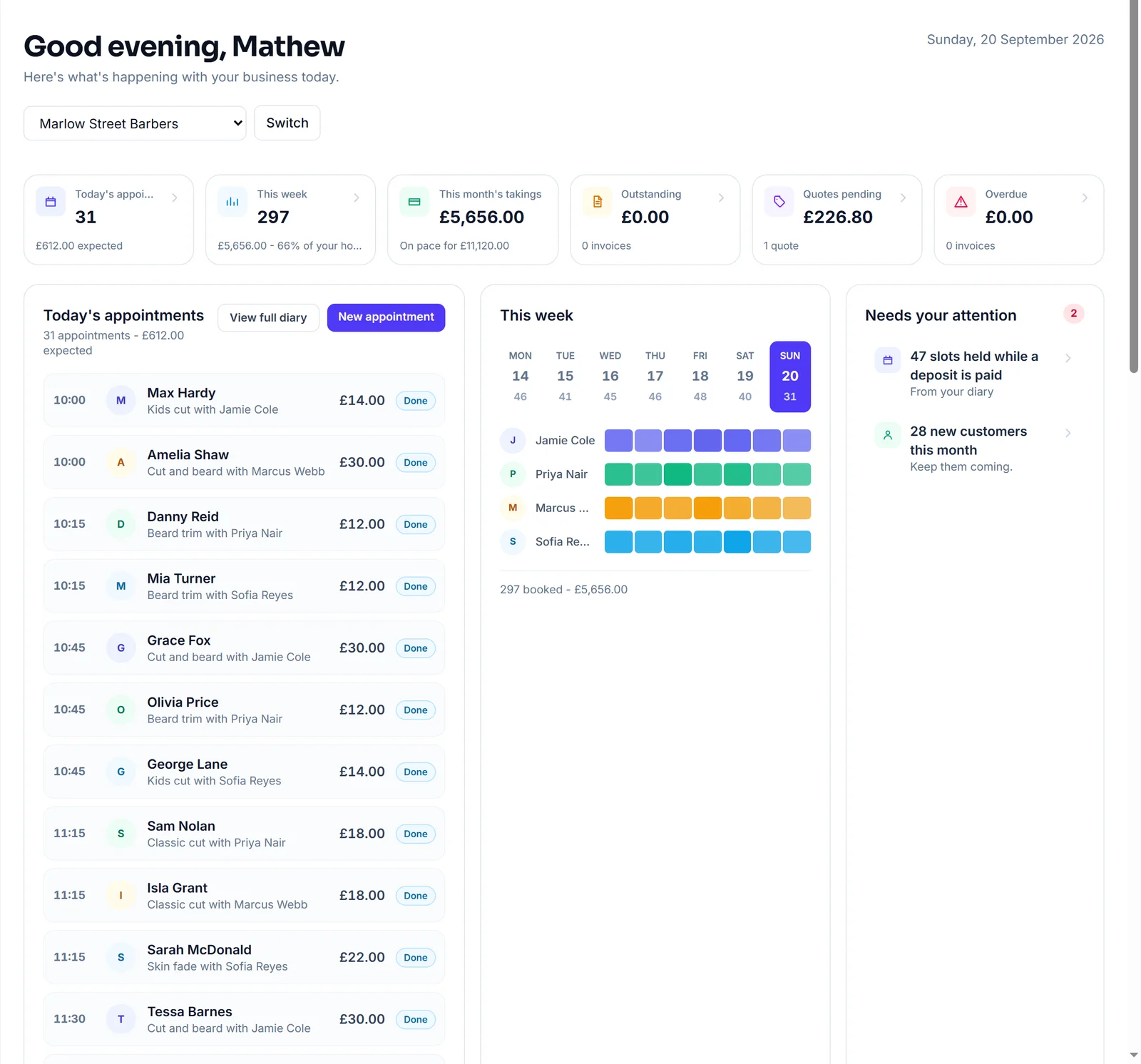
Know your business
See what's happening in your business.
Get a simple view of your bookings, takings and busiest times.
- Bookings
- Takings
- Busiest days
- Busiest hours
- Average ticket
- No-shows
Know what's working without opening a spreadsheet.
After the appointment
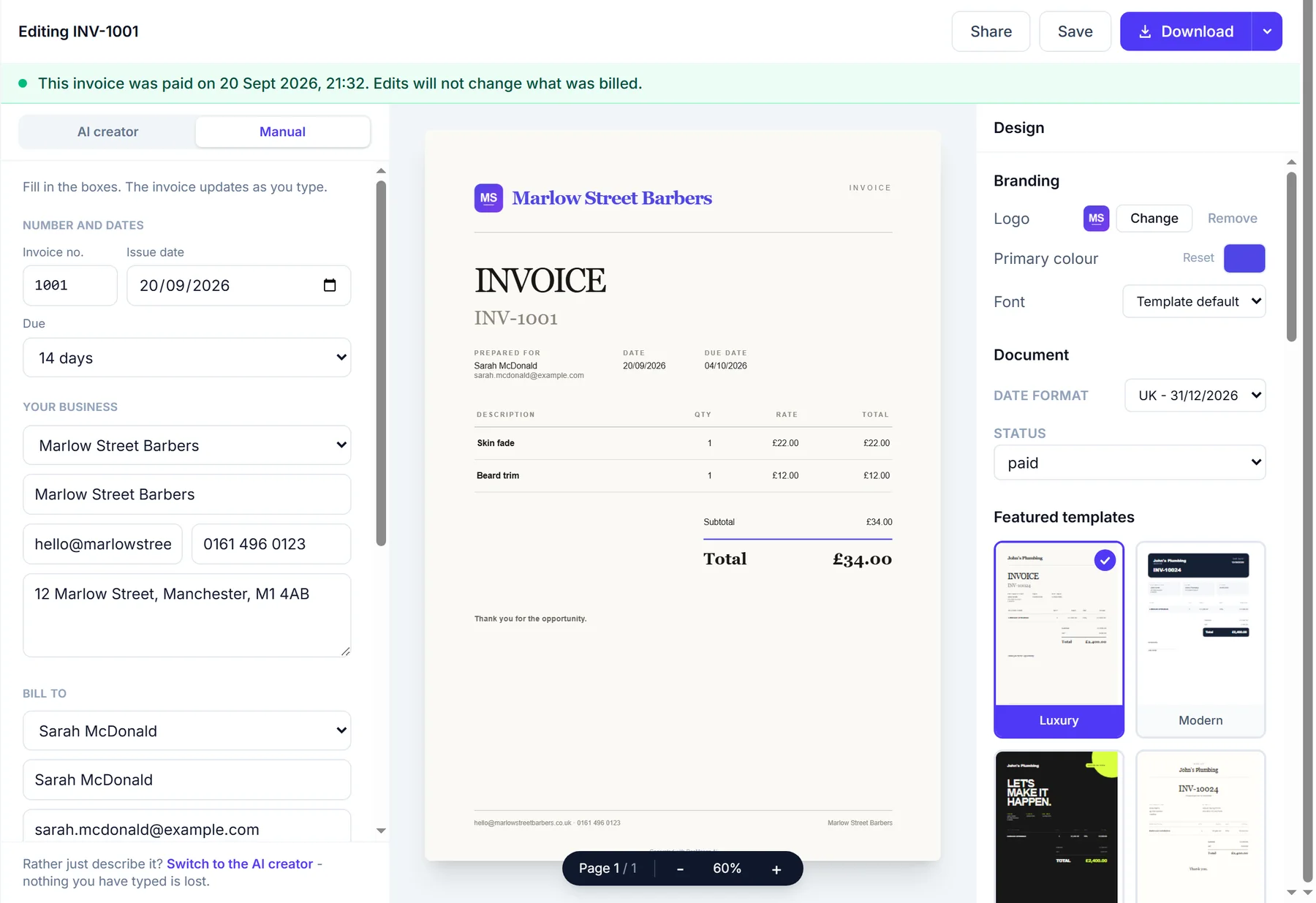
Your booking doesn't stop when the appointment does.
Finished bookings can flow into your invoices, payments and business admin.
- Booking
- Completed
- Invoice
- Paid
Invoices
Turn completed work into invoices.
Quotes
Create and send quotes when you need them.
Payments
Keep track of what has been paid and what is outstanding.
Built for your business
One booking system. Your business.
FullDiary adapts to the way you work.
Not on the list?
Every trade below has its own page, and the set-up guide knows dozens more.
Switching is simple
Already using a booking system?
Switch in a few minutes.
Bring your customers with you, answer ten quick questions and share your new link. No retyping, no starting again.
Bring your customers
Export your list from your old system and drop it in. We match up the columns and show you before anything imports.
clients.csv
312 customers
- Client nameName
- MobilePhone
- EmailEmail
Works with exports from Fresha, Booksy and spreadsheets.
Set up your page
Ten quick questions: what you do, your hours, your services and prices, then make it look like yours.
- Skin fade30 min£22
- Kids cut20 min£14
- Beard trim15 min£10
- + Add a service
Start taking bookings
Share your link on Google, Instagram and WhatsApp, and customers start booking themselves in.
Free to start, no card required.
Why FullDiary
Your business. Your customers. Your money.
No commission.
Keep what you earn. FullDiary doesn't take a percentage of your bookings.
No marketplace.
Customers book directly with your business.
Your customers stay yours.
No competing businesses or marketplace listings getting in the way.
Simple pricing.
One simple monthly price. No surprise booking fees.
Simple pricing
Start free. Upgrade when you need to.
No commission. No contracts. No surprise booking fees.
Free
£0 forever
20 bookings a month
- Booking page
- Live diary
- QR card
- Reminders
- Messages
- Forms
- Customer import
Pro
£9.99 a person, a month
Never more than £39.99 a month, however big the team
Everything, for you and your whole team.
- Unlimited bookings and stores
- Your whole team, each with their own login
- 50 text reminders a month for each person
- Packages, discount codes, gallery and social links
- Unlimited invoices and quotes, card payments and QuoteChaser
- Send with your own branding
- Priority support
Every plan starts free. No card required. No commission on any booking, ever. See the full comparison
Businesses using FullDiary
Built for people who are busy running a business.
"FullDiary makes managing bookings simple, organised and completely stress-free."
"Finally, a booking system that doesn't feel complicated. I set everything up in 5 minutes and my clients were booking straight away."
"Our customers love booking online, and we love the simplicity."
FAQs
Questions? Answered straight
Everything you need to know.
Something else on your mind? Ask a human.
Do my customers need to download an app?
No. They open your booking page in whatever browser is already on their phone, pick a time, and they are done. Nobody has to make room next to four hundred photos of their dog.
Do customers need an account?
No passwords to invent, no reset email at eleven at night. They book with their name and email, and the confirmation carries a link to move or cancel the booking themselves.
What kinds of business is FullDiary for?
Anything that takes bookings. Barbers and salons, clinics and therapists, trainers, groomers, tattoo studios, driving instructors, garages, photographers. If you run a diary, it is for you. Some trades have a page of their own, with the words and examples changed to theirs. See the businesses we support.
Can I customise my booking page?
Yes. Your logo, your colours, a photo of the place, your services and prices, and a page style to suit. It should look like your shop, not like ours.
Can I take deposits?
Yes. Connect your own Stripe account and take a deposit, or the full price, as they book. The money goes to you, not through us. Stripe takes its usual fee, and we add nothing on top.
Does FullDiary charge commission?
Never. Not on any plan, not on your regulars, not on the customer who found you on Google. You pay 9.99 GBP a month a person, never more than 39.99 GBP, or nothing at all.
Can I have multiple staff?
Yes. Pro covers your whole team and every store, at 9.99 GBP a month a person and never more than 39.99 GBP. Everyone gets their own column in the diary and their own login, so the Saturday junior can see their day without seeing your takings.
Can I import my existing customers?
Yes, and nobody has to retype eight hundred names. Export a CSV from your old system, drop it on the Customers page, and it shows you the columns before it imports. Free on every plan.
Can customers book 24/7?
Yes. Eleven on a Sunday night is when a lot of people remember they need a haircut. Your page only ever offers times you can genuinely do, so a booking made at two in the morning is still a good one.
Can I use FullDiary on my phone?
Yes. It runs in the browser on your phone, tablet and computer, and it is the same diary on all of them. The phone app is on its way to the app stores.
Is there a free plan?
Yes, and it is not a trial. Twenty bookings a month, your booking page, the live diary, reminders, messages and forms, for as long as you like. No card, no clock ticking.