Customised booking page
A booking page that looks like your business.
When a customer taps your link, they should know straight away they're in the right place. Your colours, your logo and a photo of your shop, set up in a couple of minutes and changed whenever you like.
- Your colours and logo
- A photo of your place
- Free to set up
£9.99 a month, unlimited bookings, never a commission. Free to start: 20 bookings a month, no card.
Savednow
Your page has its new look. Customers see it next time they tap your link.
The problem
Most booking pages look like they belong to someone else.
They look like software
Grey boxes and another company's logo. Someone who found you on Instagram lands on a page that looks nothing like you, and isn't sure they're in the right place.
There's nothing to see
People choose a barber, a nail tech or a groomer by their work. A page with no pictures asks them to book without seeing any.
Someone else's name at the bottom
You picked the sign, the colours and the chairs. Your booking page should feel the same, not finish with another company's name.
How it works
Set up in a couple of minutes.
- 01
Choose a look
Pick the style that suits your place, from bright and clean to dark and moody. The preview beside it shows exactly what your customers will see.
- 02
Add your colour, logo and photo
Your colour goes on the buttons, your logo sits next to your name, and a photo of your shop goes across the top.
- 03
Share your link
Put it in your Instagram bio, on Google and in the window. Change the look any time and the link stays the same.
A few of the looks
Find the one that feels like you.
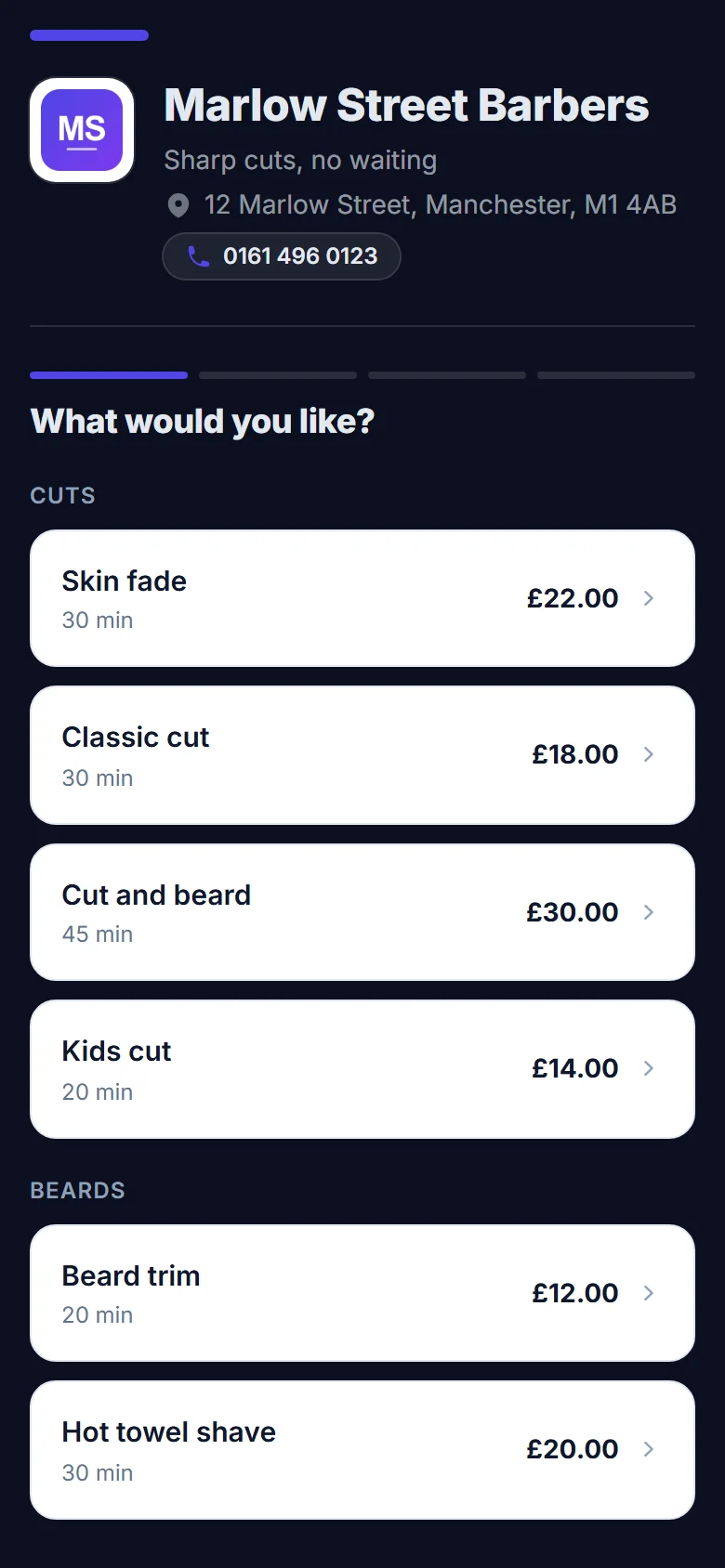
Here's the same barbershop in a few different styles. Whichever you choose, your colour goes on the buttons.
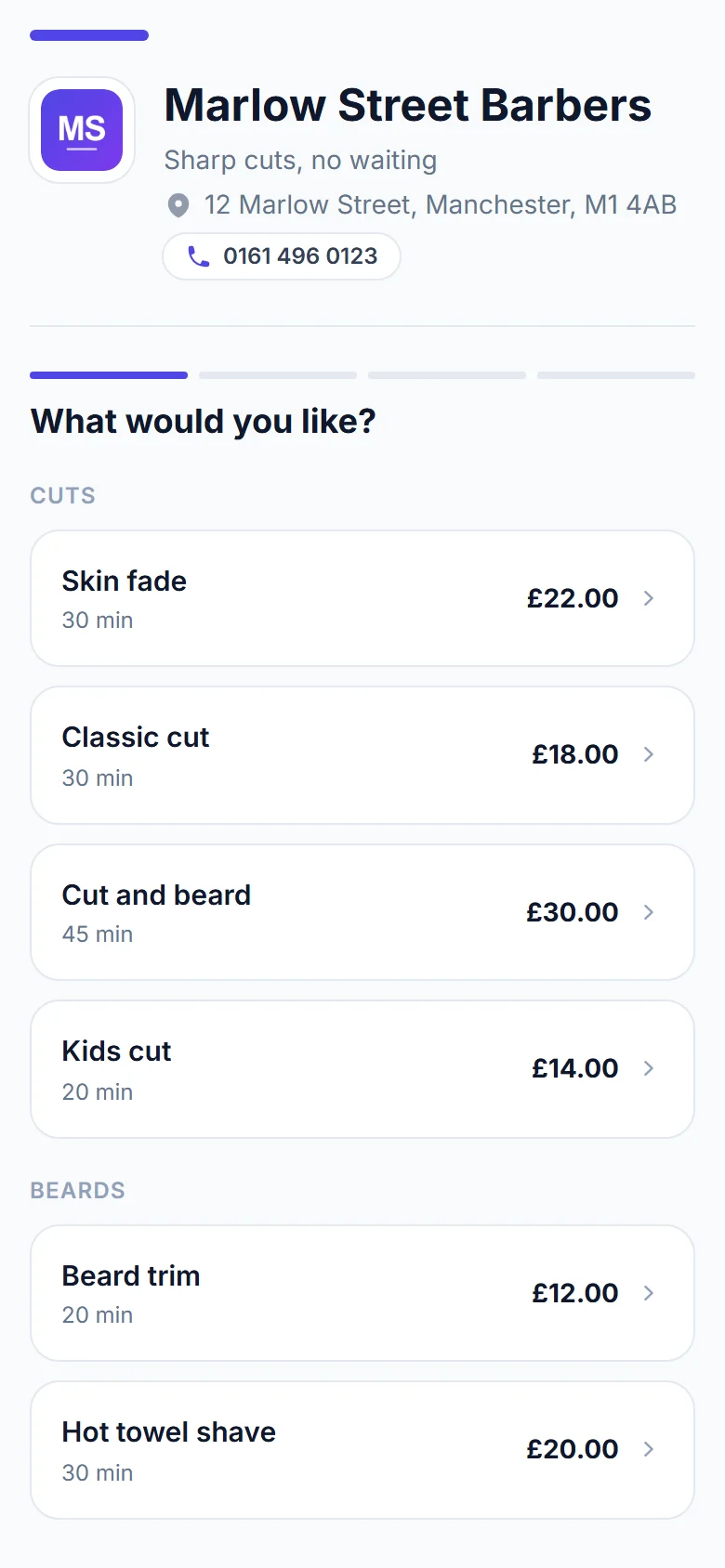
Clean
Bright and simple. Suits almost any business.
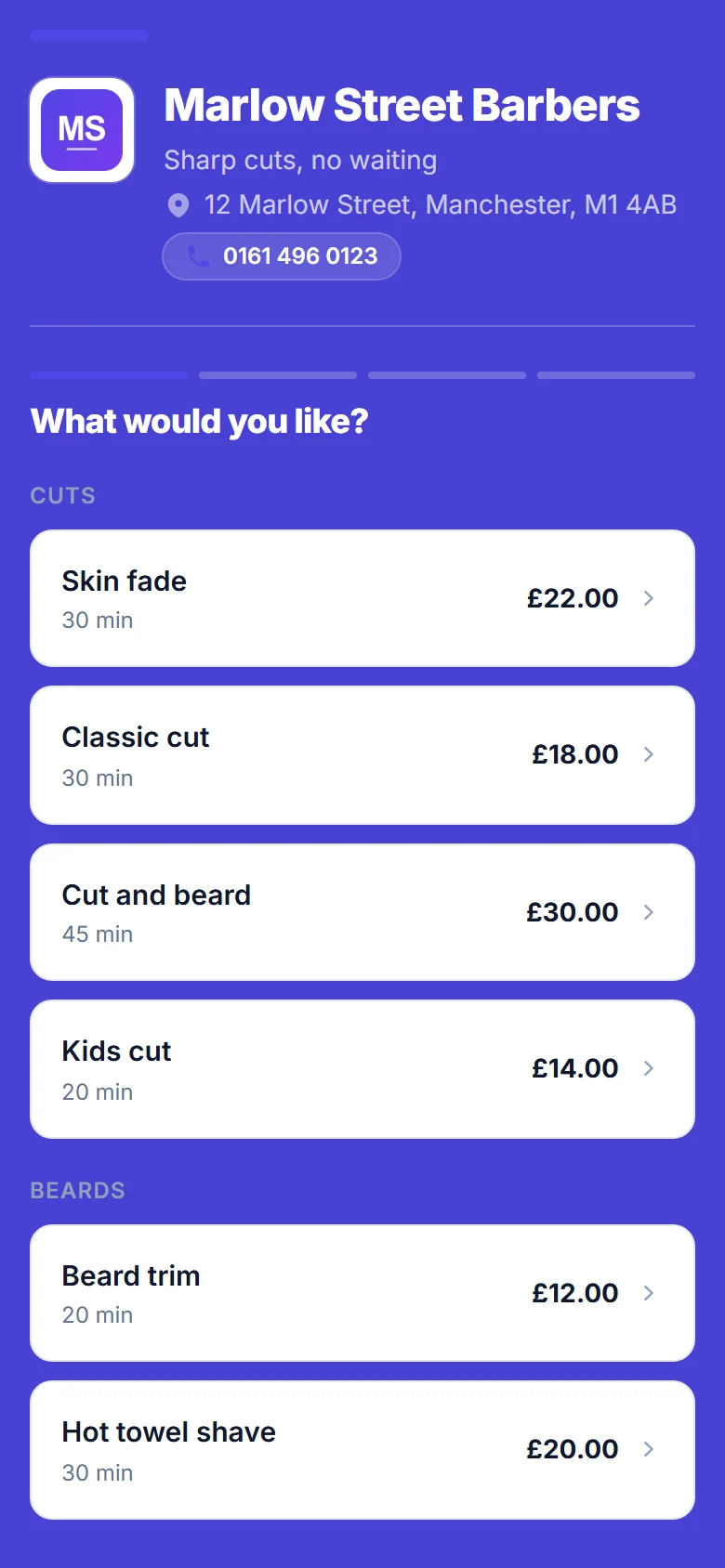
Bold
Your colour fills the whole page. Hard to miss.
Midnight
Dark and smart. Made for barbers and tattoo studios.
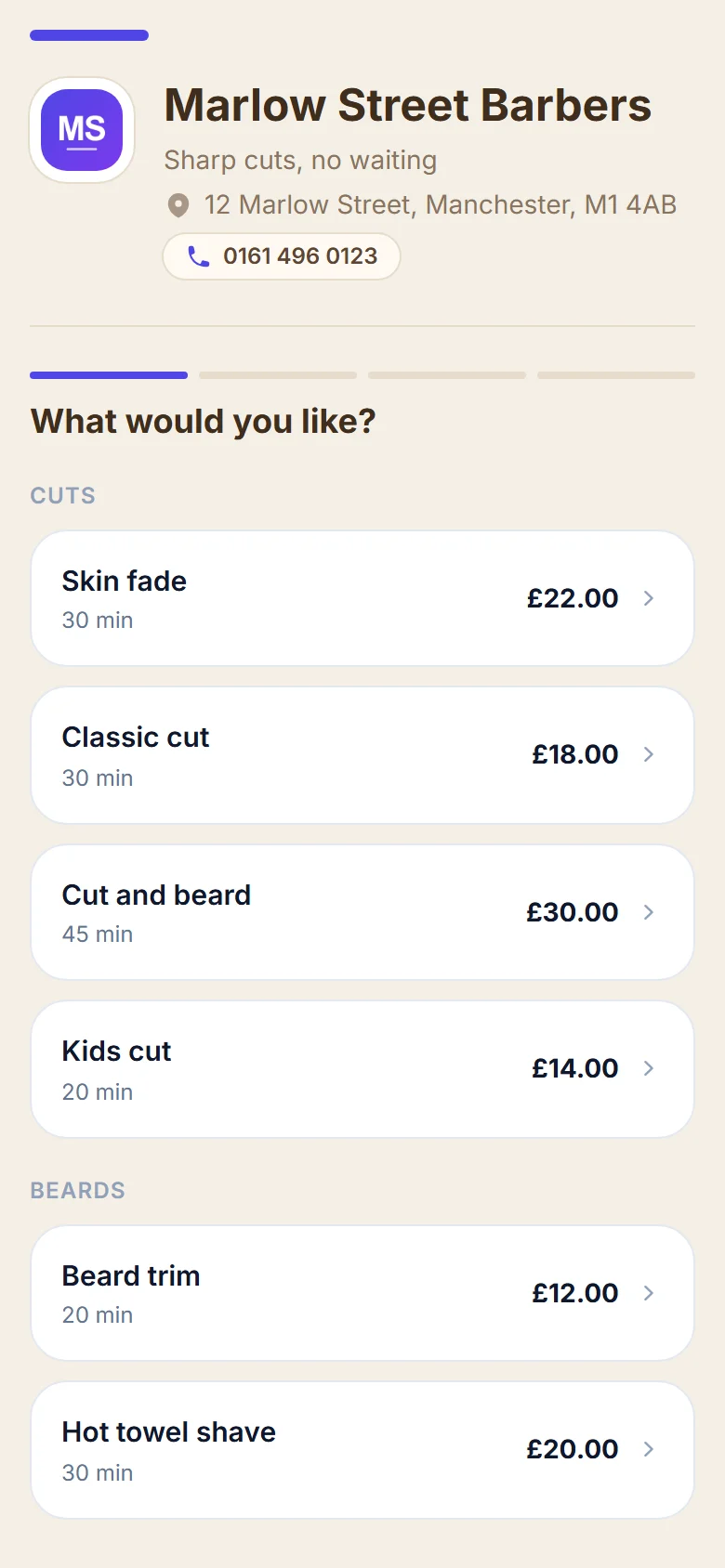
Warm
Soft cream tones, like a calm salon or spa.
Try it
Have a play with the look.
These are the controls you get when you set up. Tap a style or a colour and watch the phone change. Nothing here is saved.
Marlow Street Barbers
Sharp cuts, no waiting
What would you like?
- Skin fade30 min£22.00
- Classic cut30 min£18.00
- Cut and beard45 min£30.00
- Beard trim20 min£12.00
Booking page
White cards, soft grey page, your colour on the buttons.
- Add your logo
- Choose your colours
- Add your business photo
- Choose your page style
- Show your services and prices
Where you do it
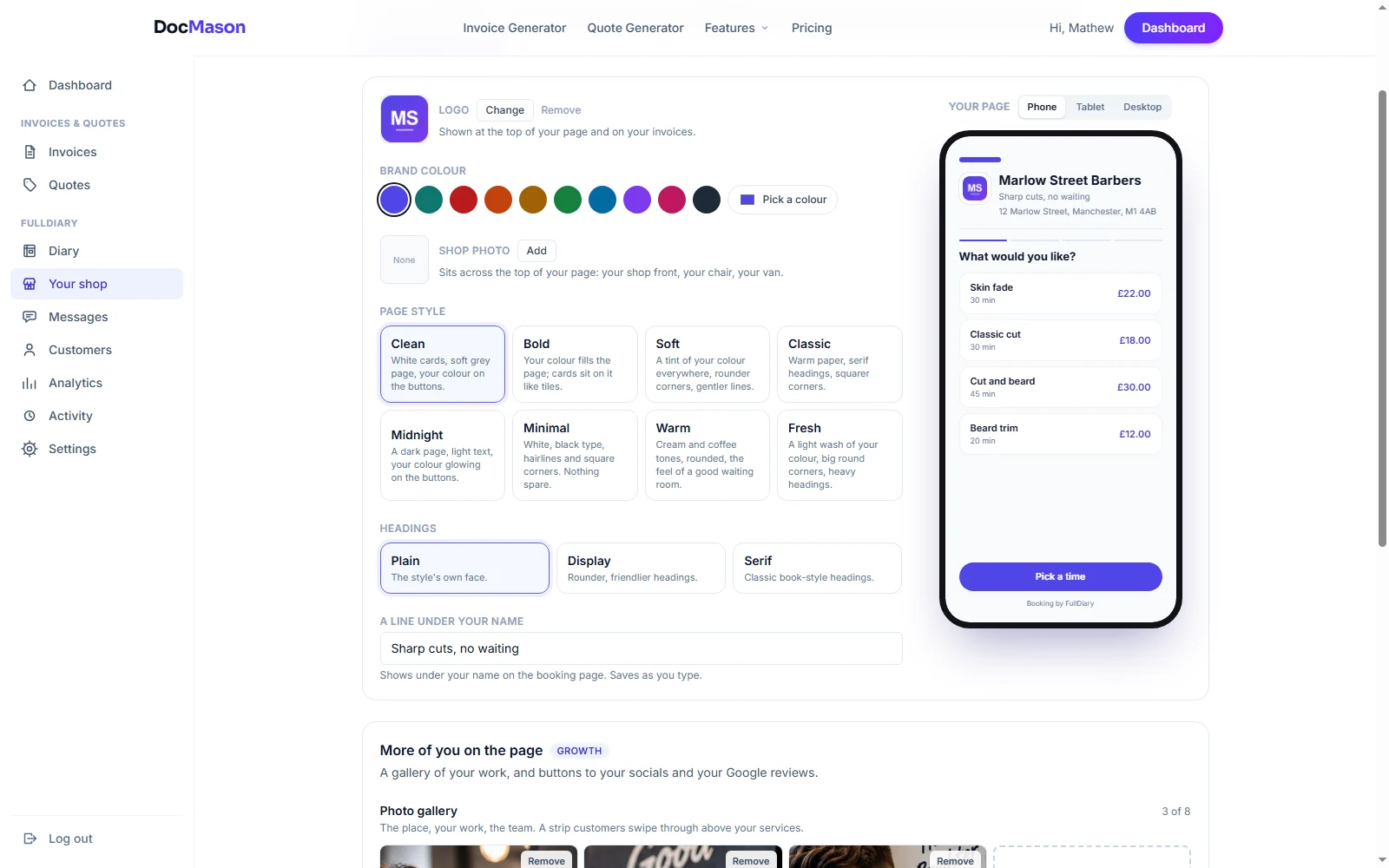
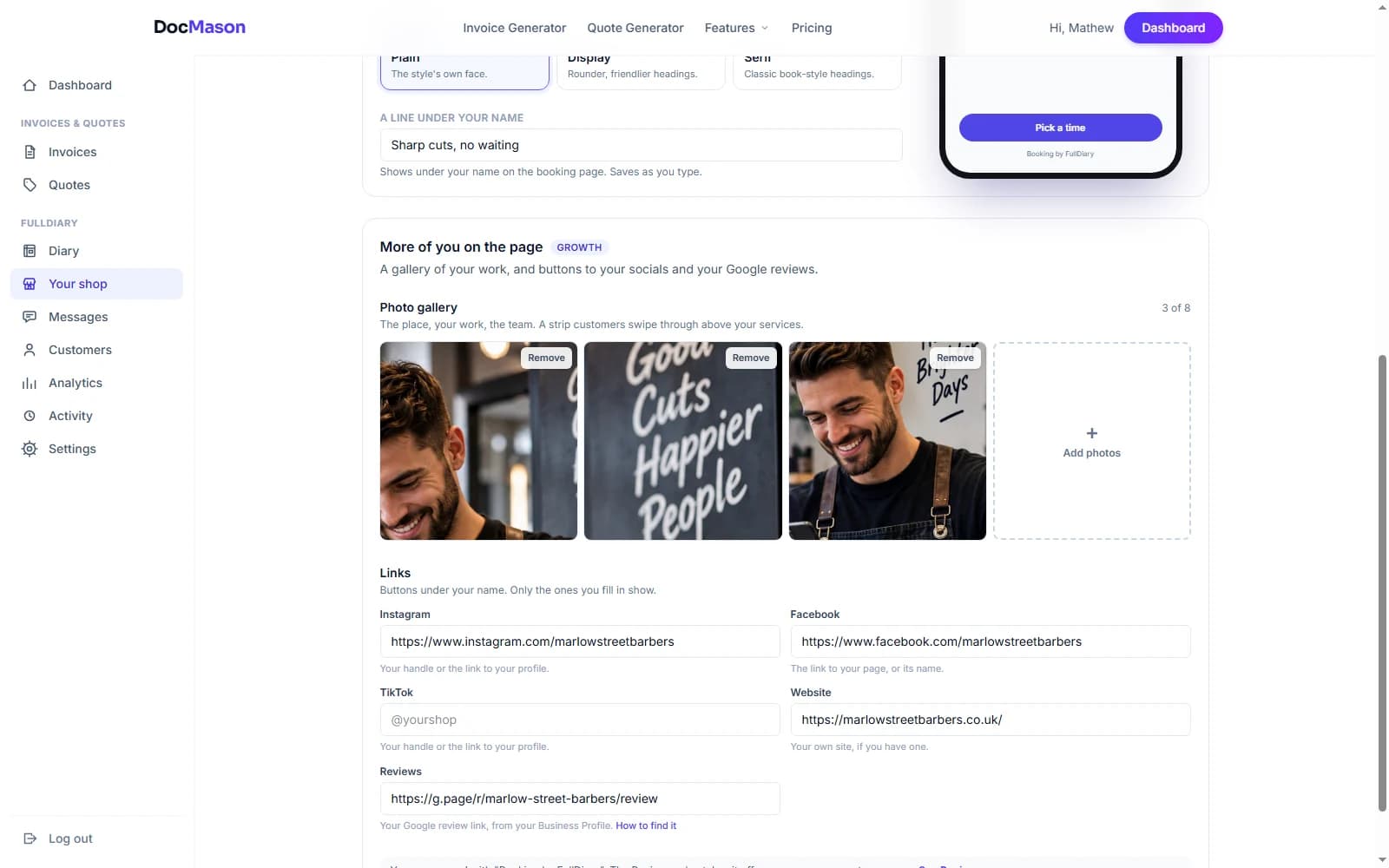
Everything is done from one screen.
On the left, the screen where you choose your look, with a live preview. On the right, the extras that come with Growth.
What you get
Why it's worth doing.
Customers know it's you
Your colours, logo and photo tell people they've found the right place, so they're happier to go ahead and book.
It's free
The styles, your colour, your logo, a photo of your shop and the line under your name come with every plan, including the free one.
Show off your work
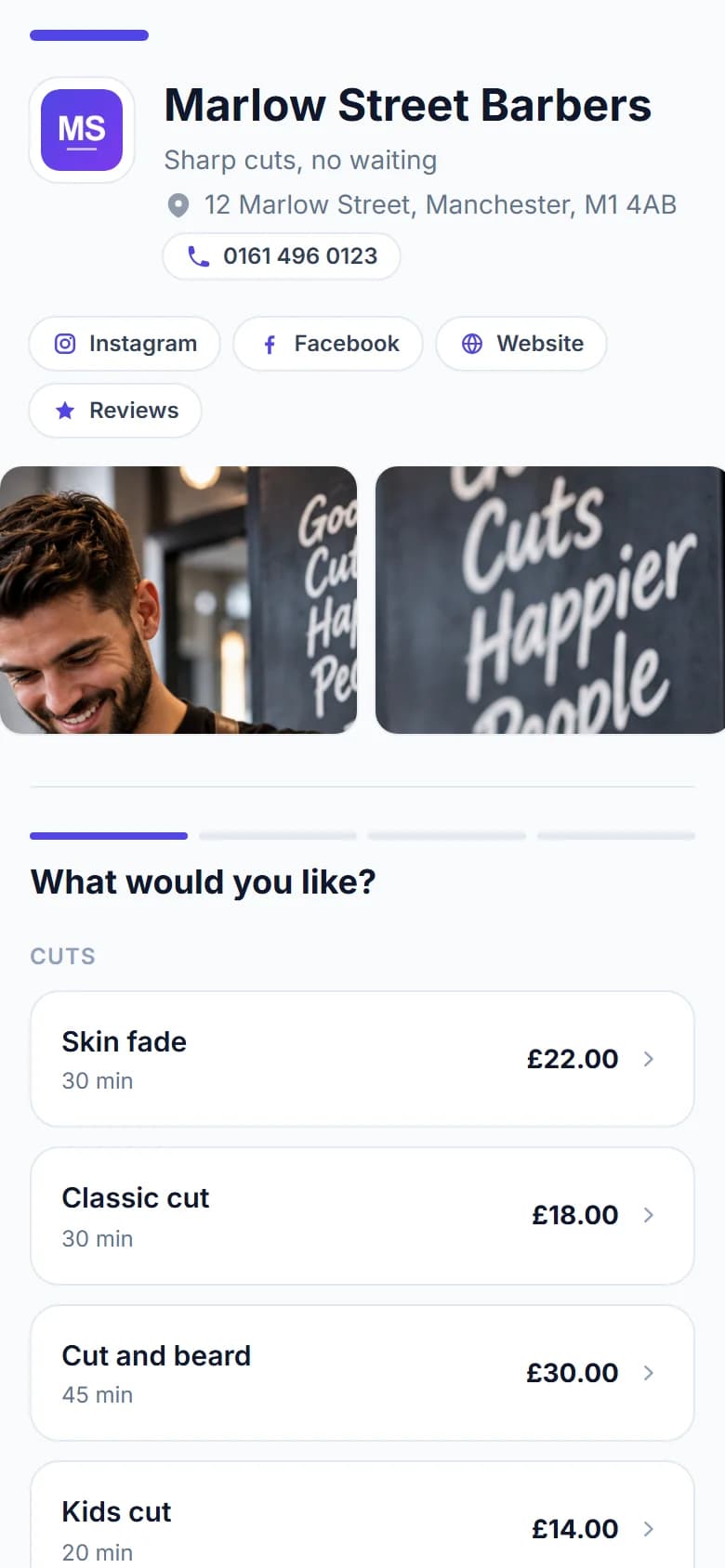
On Growth, add photos customers can swipe through before they book: your chairs, your best cuts, your team.
Link your socials and reviews
On Growth, add buttons to your Instagram, Facebook, TikTok, website and Google reviews. On Business, the FullDiary name comes off your pages too.
FAQs
Questions? Answered straight
What people usually ask before they set theirs up.
Something else on your mind? Ask a human.
Can I use my exact brand colour?
Yes. Choose one of the swatches or pick any colour you like. It goes on your buttons and links, and on your invoices too.
Can I take the FullDiary name off?
Yes, on the Business plan. Your booking page, the confirmation and your customers' own pages will then only show your business.
Can I show photos of my work?
Yes. Every plan shows a photo of your shop across the top of the page. On Growth you can add a gallery of your work that customers swipe through.
Can I use my own web address?
Not yet. Your page lives at docmason.ai/b/your-shop. Link to it from your website, Instagram and Google, and customers book there.
If I change the look, does my link change?
No. Your link stays the same, so anything you've already shared keeps working.
While you are here
Two more things it does.
- Customised booking page