Invoicing and quotes
Quote the job, invoice it, get paid.
Say what the job was in one sentence and the invoice or quote writes itself. A finished booking becomes an invoice in one click, and so does a quote they said yes to.
- Written from one sentence
- VAT worked out for you
- Free to start
Free to start: 3 invoices and 3 quotes a month, no card. £9.99 a month makes them unlimited.
The problem
Right now the paperwork happens at the kitchen table, late at night.
Every invoice starts from scratch
Last month's Word file, a new name, a new total, and a hope that the number and the VAT are right.
Quotes go quiet
You sent the price, they said they would think about it, and nobody followed it up. The job went elsewhere.
Chasing money feels awkward
Asking a customer to pay feels rude, so the reminder never goes and the invoice just sits there.
How it works
From the job to the money, in three steps.
- 01
Say what the job was
"Invoice Sarah Pearce 850 for new fencing, plus VAT." The lines, the VAT and the total fill themselves in, or you fill in the boxes yourself.
- 02
Make it look like yours
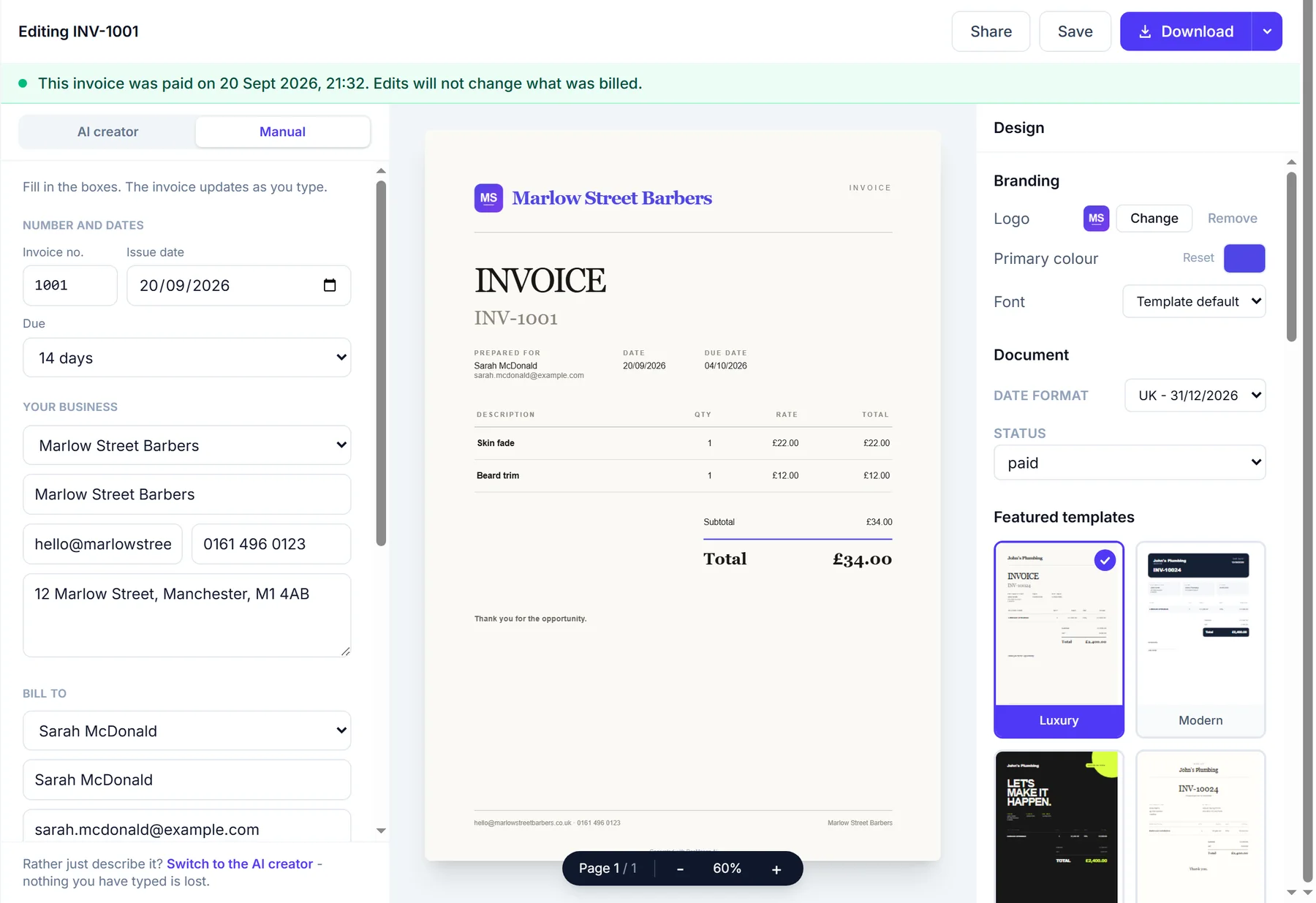
Pick a design, put your logo on it and download the PDF. Your business details and your bank details go on every one.
- 03
Send it and get the answer
From Starter, send it from DocMason as a link. A quote is accepted with one tap, and on Growth an invoice can be paid by card.
In the editor
Described in a sentence, ready to send.
A quote typed the way you would say it, priced with the VAT added, then given a design.
A quote written from one sentence (A real screen recording.)
What you get
Why it beats a Word template.
A finished booking becomes an invoice
Invoice an appointment straight from the diary. The customer, the service and the price come across, so nothing is typed twice.
A yes becomes an invoice too
When a customer accepts a quote, one click turns it into an invoice with the same lines, the same design and the next number.
VAT done properly
Charge 20%, 5% or none, or say the price already includes VAT. The VAT lines and the totals are worked out for you.
QuoteChaser does the chasing
On Growth, two polite follow-ups go out in your name: for a quiet quote after 3 and 7 days, for an unpaid invoice the day after it falls due and a week later. They stop the moment the customer answers or pays.
FAQs
Questions? Answered straight
The things people ask about invoices and quotes before they sign up.
Something else on your mind? Ask a human.
Do I need the booking system to use this?
No. Invoices and quotes work on their own, and plenty of people only use them. If you do take bookings, a finished one becomes an invoice in one click.
Can customers pay an invoice by card?
Yes, on the Growth plan: connect your own Stripe account and every invoice carries a pay-by-card button. On any plan your bank details print on the invoice, so they can pay by transfer.
Can a customer accept a quote online?
Yes, from Starter. Send it from DocMason and they get a link that opens on any device. One tap accepts it, and your dashboard shows it straight away.
How are invoices numbered?
DocMason starts you at INV-1001 and counts up on its own. You can set the number on any invoice, or hide it if you do not use one.
While you are here
Two more things it does.
- The quote generator, in full
- The invoice generator, in full
- All FullDiary features
- The whole booking system
- Invoicing and quotes