New feature3 minute read
Eight styles for your booking page, and a photo gallery on Pro
When someone taps your booking link, they should know straight away they are in the right place. Your FullDiary booking page comes in eight styles, from bright and clean to dark and moody, with your colour, logo and a photo of your place on every plan. On Pro you can add a gallery of your work and links to your socials and reviews.

Director, DocMason and FullDiary
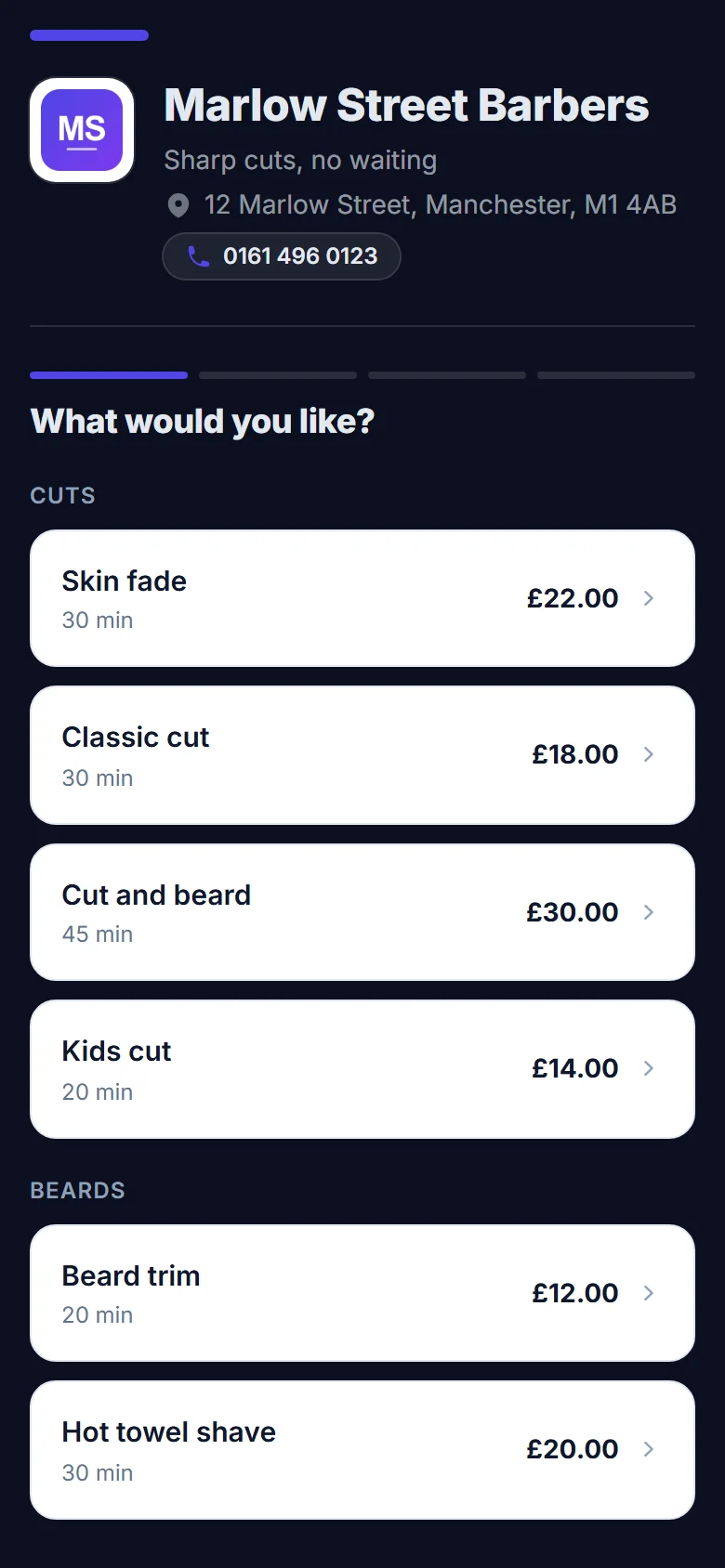
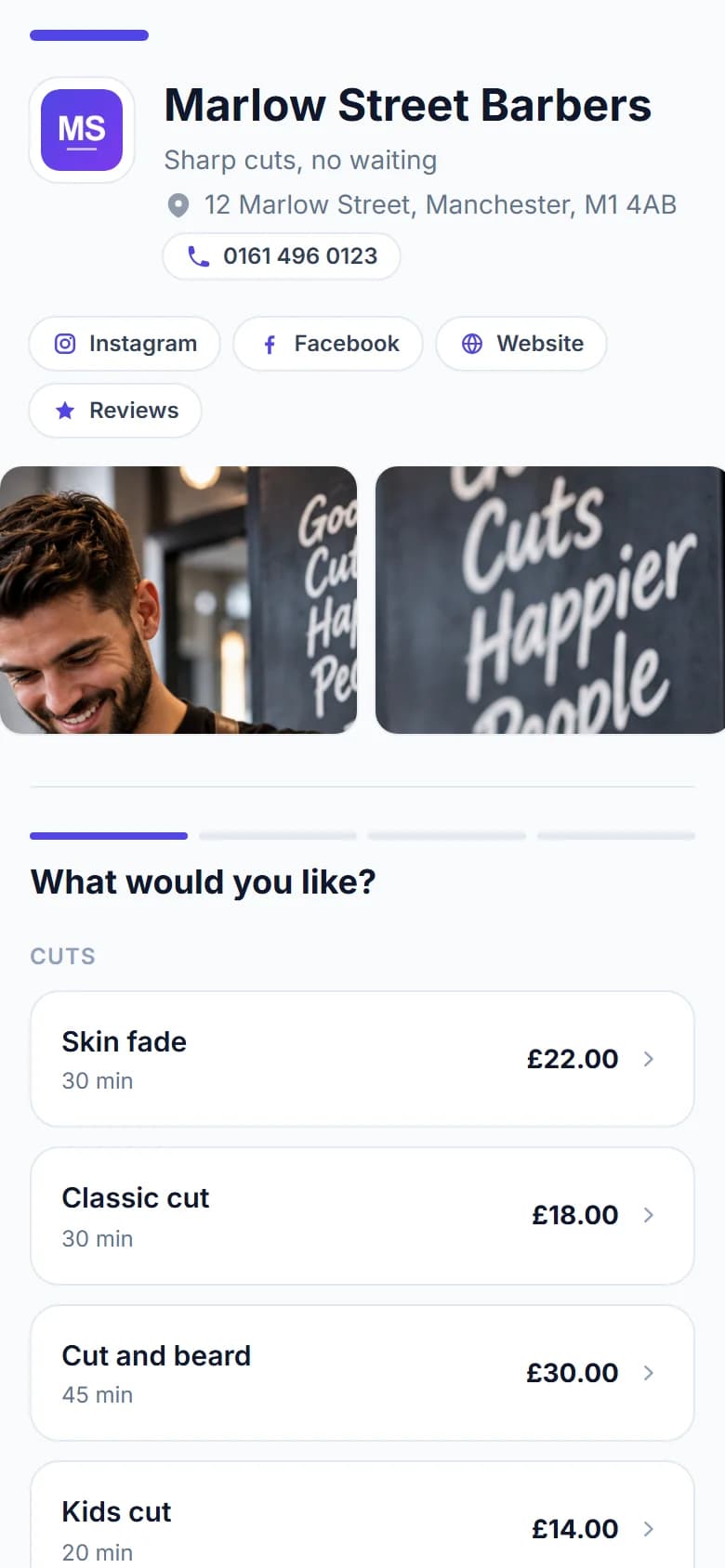
People find a barber, a nail technician or a dog groomer on Instagram or Google, then tap through to book. If the booking page looks like grey software with somebody else's logo on it, some of them stop and wonder whether they are in the right place.
FullDiary is the online booking system from DocMason for UK appointment businesses, and your booking page is the first thing your customers see of it. It takes a couple of minutes to make it look like yours.
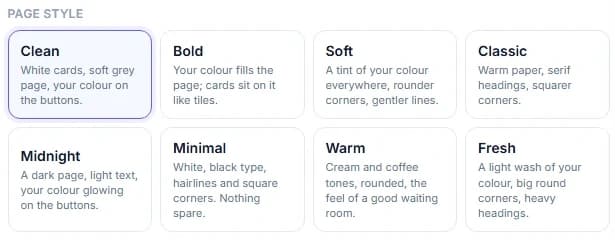
Eight styles to choose from
Each style changes the whole feel of the page, and your colour goes on the buttons whichever you pick.
- Clean. White cards on a soft grey page. Suits almost any business.
- Bold. Your colour fills the page, and the cards sit on it like tiles.
- Soft. A tint of your colour everywhere, with rounder corners and gentler lines.
- Classic. Warm paper, serif headings and squarer corners.
- Midnight. A dark page with light text and your colour glowing on the buttons. Made for barbers and tattoo studios.
- Minimal. White, black type, hairlines and square corners. Nothing spare.
- Warm. Cream and coffee tones, rounded, with the feel of a good waiting room.
- Fresh. A light wash of your colour, big round corners and heavy headings.
Make it yours
Under Your shop, Make it yours, add your logo, pick one of the swatches or any colour you like, and add a photo to sit across the top of the page: your shop front, your chair or your van. Choose a heading font (plain, rounder or a classic serif) and write a line of up to 140 characters to go under your name. A preview beside the controls shows your real page as you go.
More of you, on Pro
On Pro you can add a photo gallery that customers swipe through before they book, with up to eight pictures of your place, your work and your team, and buttons to your Instagram, Facebook, TikTok and website, and to your Google reviews. It is the part of the page that sells the visit, not just the time slot.
Good to know
- Your link never changes when you change the look, so anything you have already shared keeps working.
- Your page lives at docmason.ai/b/your-business. Using your own web address is not available yet.
- A small Booking by FullDiary line sits at the foot of the page on every plan. Everything above it is yours.
Questions people ask
- Can I use my exact brand colour?
- Yes. Pick one of the swatches or any colour you like. It goes on your buttons and links, and on your invoices too.
- Can I take the FullDiary name off?
- Not at the moment, on any plan. A small Booking by FullDiary line sits at the foot of your page; everything above it is your name, your colours and your photos.
- Does changing the look change my link?
- No. Your link stays the same, so everything you have already shared keeps working.
- Is the photo gallery free?
- The styles, your colour, your logo, a photo of your place and the line under your name come with every plan. The photo gallery and the social and review links come with Pro, at £9.99 a month a person.
Read next
Written by
Matt SucklingDirector, DocMason and FullDiary
Matt runs Cynical Software Ltd, the Perthshire company that makes DocMason and FullDiary, and builds both.