New feature4 minute read
Visit records that fit your business: your own fields, and ones your customers fill in
Every trade starts with its own set of fields. Now you can rename, reorder, add and remove them, choose what each customer sees, and mark the ones they fill in themselves on their own page.

Director, DocMason and FullDiary
FullDiary is the booking system from DocMason for appointment businesses: an online booking page, a diary and reminders in one place. A visit record is what you write down when a customer has been in. A trainer logs the exercises and the weights, a colourist the formula, a physio the pain score. Until now the fields came from your trade and stayed as they were. Now they are yours.
What a field can be
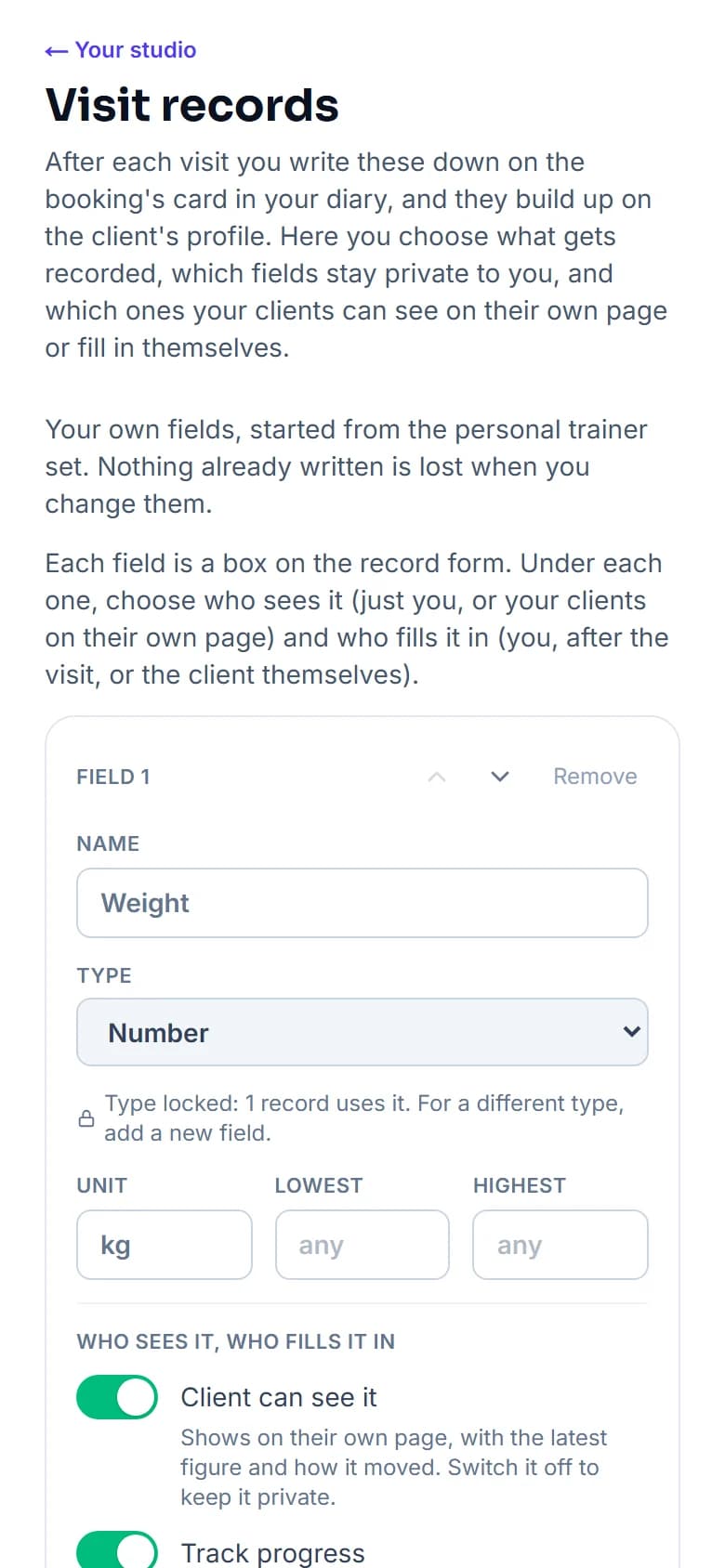
- A number. With a unit, and a lowest and highest if you want one, like a pain score from 0 to 10. The profile shows the latest number and how it moved since last time.
- Text. What you worked on, the formula, the advice given. It carries over into the next record so you only change what moved.
- Yes or no. Patch test done, warmed up, homework done.
- Pick one. Your own options, like Light, Medium and Firm for pressure.
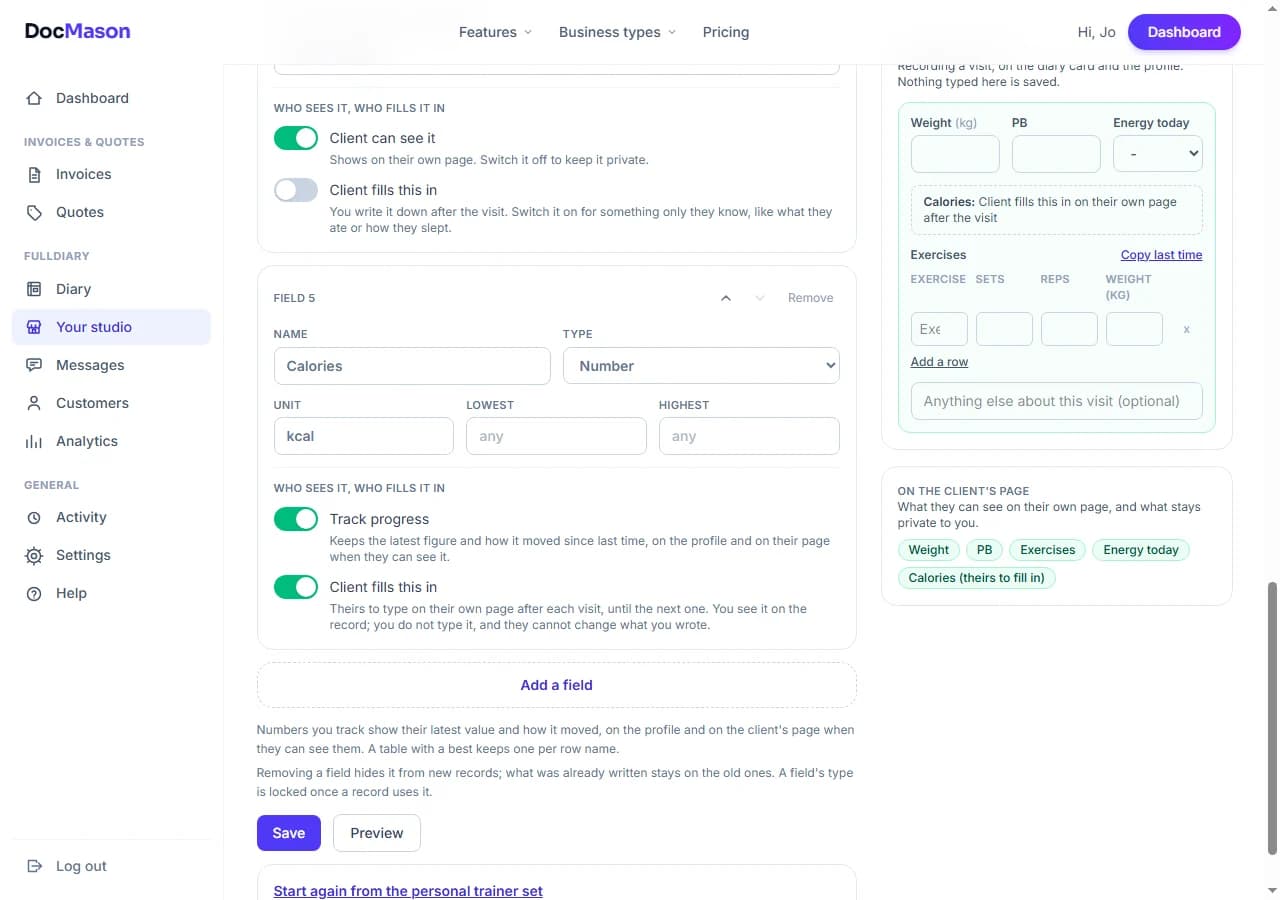
- A table of rows. Exercises with sets, reps and weight; products with an amount; parts with a quantity. A name column remembers every name you have typed, so Squat is one thing across records, and you can keep a best per row.
Changing your fields
Open Your shop (it takes your business's word, so it might say Your salon or Your studio) and choose Visit records. Each field is a card: its name, its type and what the type needs, then who sees it. Rename a field and every old record keeps its value under the new name. Remove one and it disappears from new records while what was written stays on the old ones. A field's type is locked once a record uses it, and the card says how many, so a number never turns into text halfway through somebody's history. Start again puts your trade's set back at any time, and nothing recorded is lost by it.
What your customers see
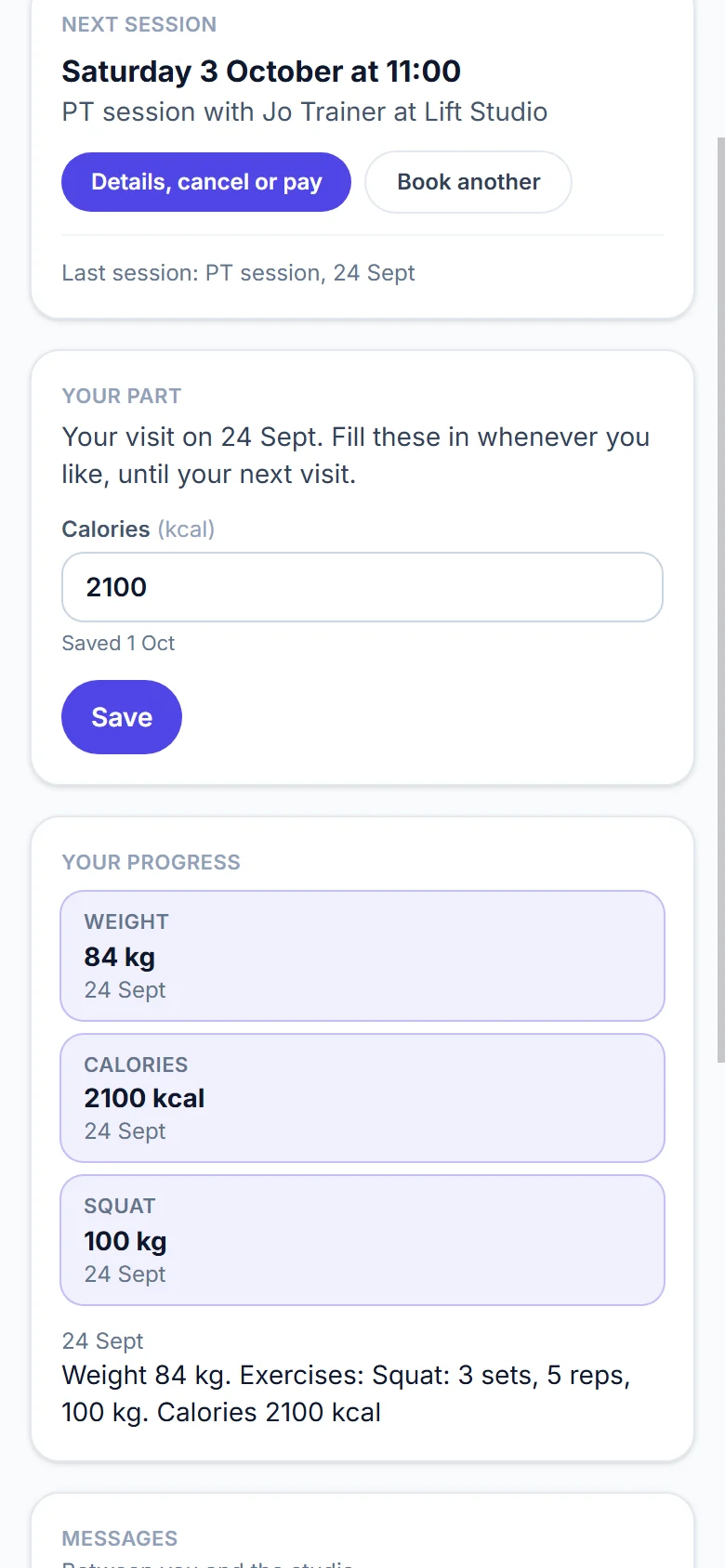
Every customer has a page of their own, linked from their booking confirmation, with their next visit, any package they hold and their progress. Each field has a Customer can see it switch. On, it shows on their page with the latest figure and how it moved. Off, it stays on your diary card and their profile, for your eyes only. The free note on every record is always yours alone.
Fields your customers fill in
Some things only the customer knows: what they ate, how they slept, whether they did the home exercises. Switch Customer fills this in on a field and it becomes theirs. Their page gets a Your part card for their latest visit, open until the next one, and what they type lands on the record with their name and the day beside it. You see it on the diary card and the profile; you never type it for them, and they never change what you wrote. Weekly and daily check-ins, with reminders, come later.
Setting it up
There is nothing to switch on. Visit records are on every plan, Free and Pro alike, and every trade starts with its own set. To change the fields, open Your shop, then Visit records.
The FullDiary app records visits with the same fields, so a field you add here is in the app the next time it loads. A yes or no field shows as true or false there until the next app update.
Questions people ask
- Do I lose anything when I change a field?
- No. Renaming keeps every record, removing a field hides it from new records and keeps what was written, and a field's type is locked once a record uses it, so old values always read correctly.
- Can my customers add their own records?
- No. You record the visit. A customer only fills in the fields you mark as theirs, on their latest visit until the next one, and they never change what you wrote.
- Which plan is it on?
- Every plan. The fields, the editor and the customer's own fields are on Free and Pro alike.
- Does it work for my trade?
- Every trade FullDiary offers starts with its own set, from trainers and physios to salons, garages and tutors, and you can change any of it.
Read next
Written by
Matt SucklingDirector, DocMason and FullDiary
Matt runs Cynical Software Ltd, the Perthshire company that makes DocMason and FullDiary, and builds both.