New feature4 minute read
Gift vouchers: sell them online, take them when customers book
Customers can now buy a gift voucher on your booking page, for an amount or for one of your services, and have it emailed straight to the person it is for. They spend it when they book, and you can sell, give or bring over vouchers at the desk too.

Director, DocMason and FullDiary
FullDiary is the booking system from DocMason for appointment businesses: an online booking page, a diary and reminders in one place. Gift vouchers are one of the easiest things to sell at birthdays and Christmas, and one of the fiddliest to keep track of on paper. A customer asked us whether FullDiary could sell them, both to people who already book with you and to people buying for somebody who has never been in. Now it can.
What a voucher can be
- An amount. £50, say. It is spent across bookings until it runs out, and whatever is not used on one booking stays on it for the next.
- A service. One Skin fade, or one sports massage: it pays for that service whatever it costs on the day.
- Any amount, if you like. Let buyers type their own amount between a lowest and a highest you choose.
- As long as you say. Vouchers last 6, 12 or 24 months from the day they are bought, or never run out. Whatever is left at the end lapses.
What the buyer sees
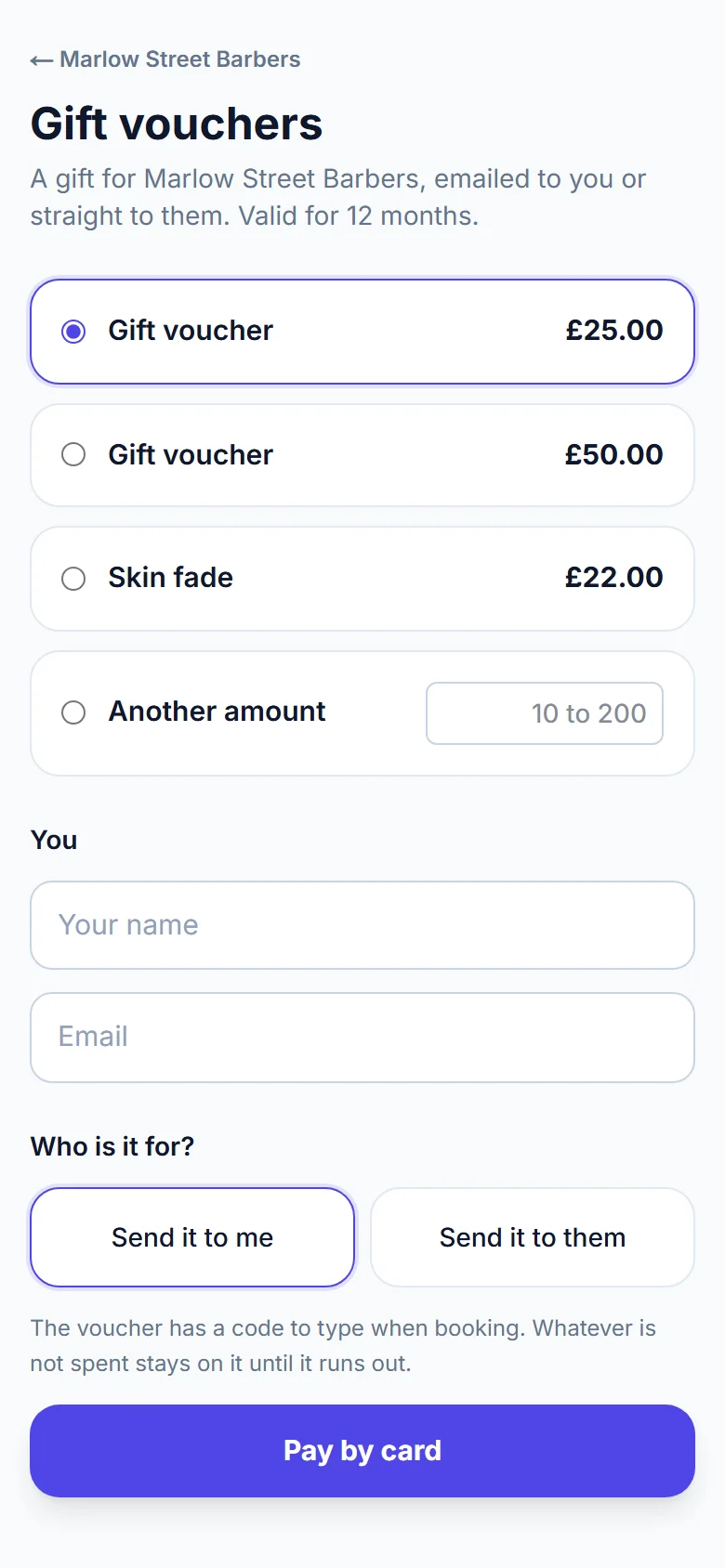
Your booking page gets a Buy a gift voucher link. The buyer picks a voucher, gives their name and email, and chooses Send it to me or Send it to them. Sending it to someone else asks for their name and email, a message, and if they like a date for it to arrive, so a birthday voucher lands on the birthday. They pay by card through your own Stripe account, so the money is yours straight away.
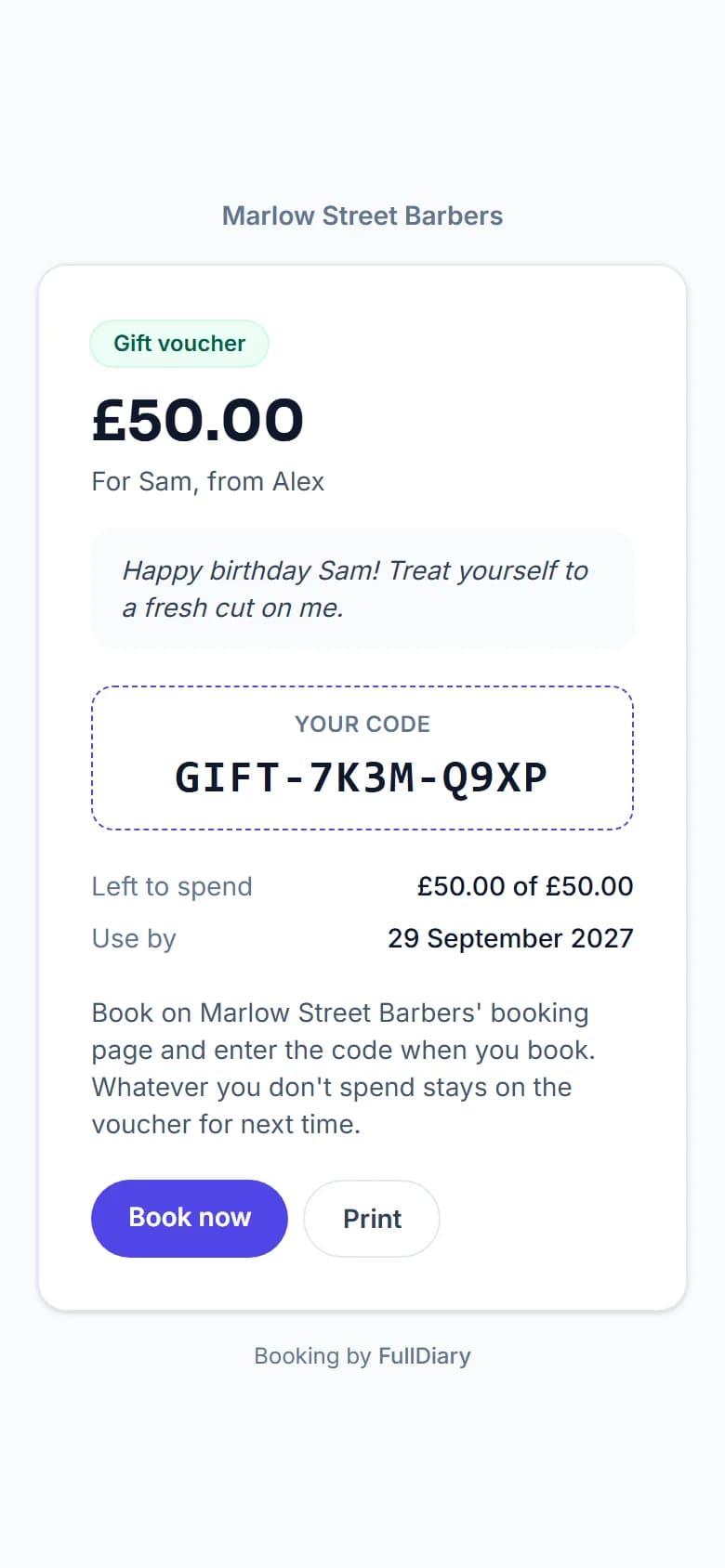
The voucher email carries the code and a link to the voucher's own page: what it is for, the message, what is left to spend, when it runs out, a Book now button, and a Print button for anyone who wants to hand it over on paper.
Spending it
On the last step of your booking page there is a Have a gift voucher? box. Book now on the voucher's page fills it in by itself. The customer sees what the voucher pays and what will be left on it before they confirm.
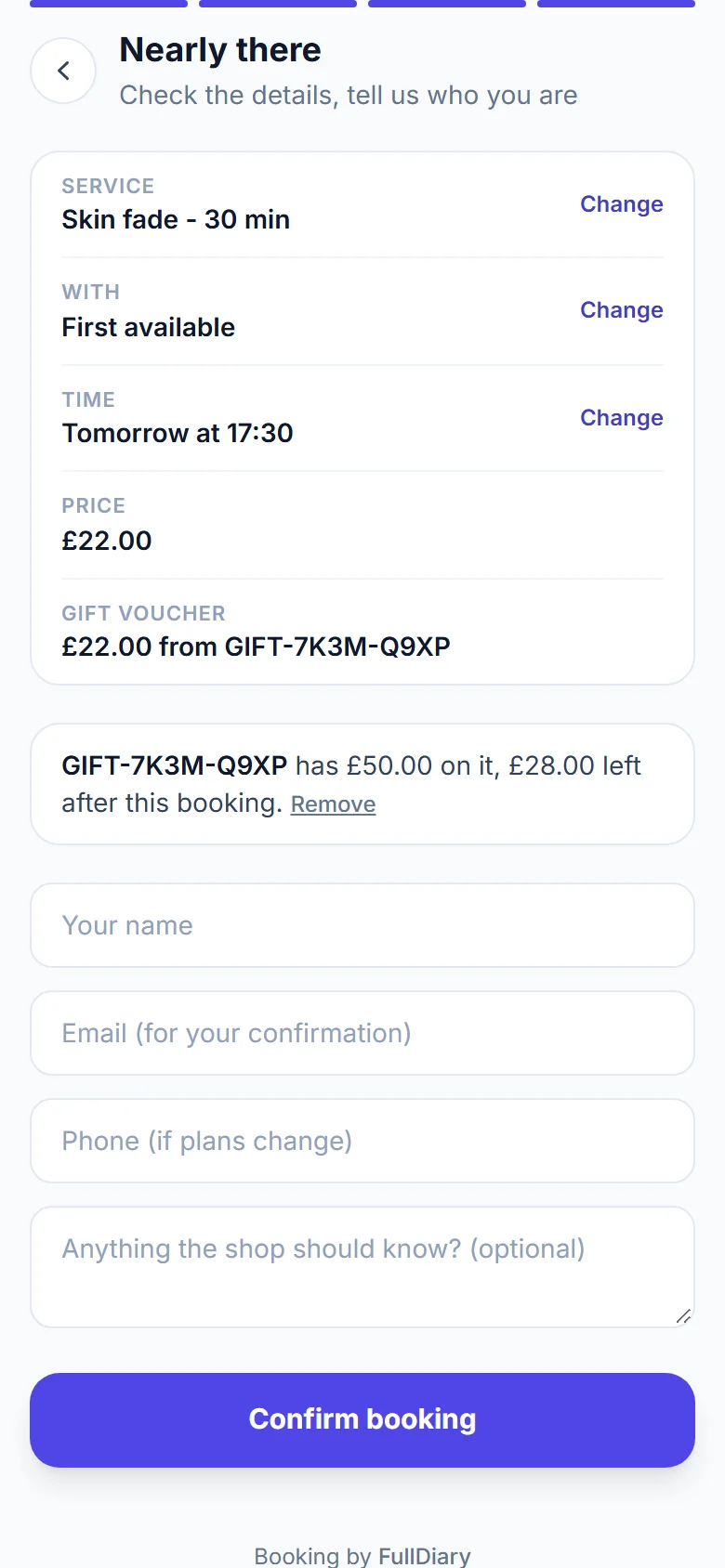
- It pays, it does not discount. The booking keeps its price and the voucher pays towards it, so your takings and invoices stay true.
- The deposit first. If you take deposits, the voucher goes towards the deposit first. A voucher that covers it means nothing to pay by card.
- Cancelled bookings give it back. If a booking paid with a voucher is cancelled, the amount goes back on the voucher. A no-show keeps it spent.
At the desk
Under Your shop, Sell more, Gift vouchers, press Issue a voucher for one sold over the counter (cash, card or transfer), one you are giving away, or one you sold before you used FullDiary: type its old code and what is left on it, and your customer can use the voucher they already have. Email it to them, or to the person it is for, or hand over a printed one.
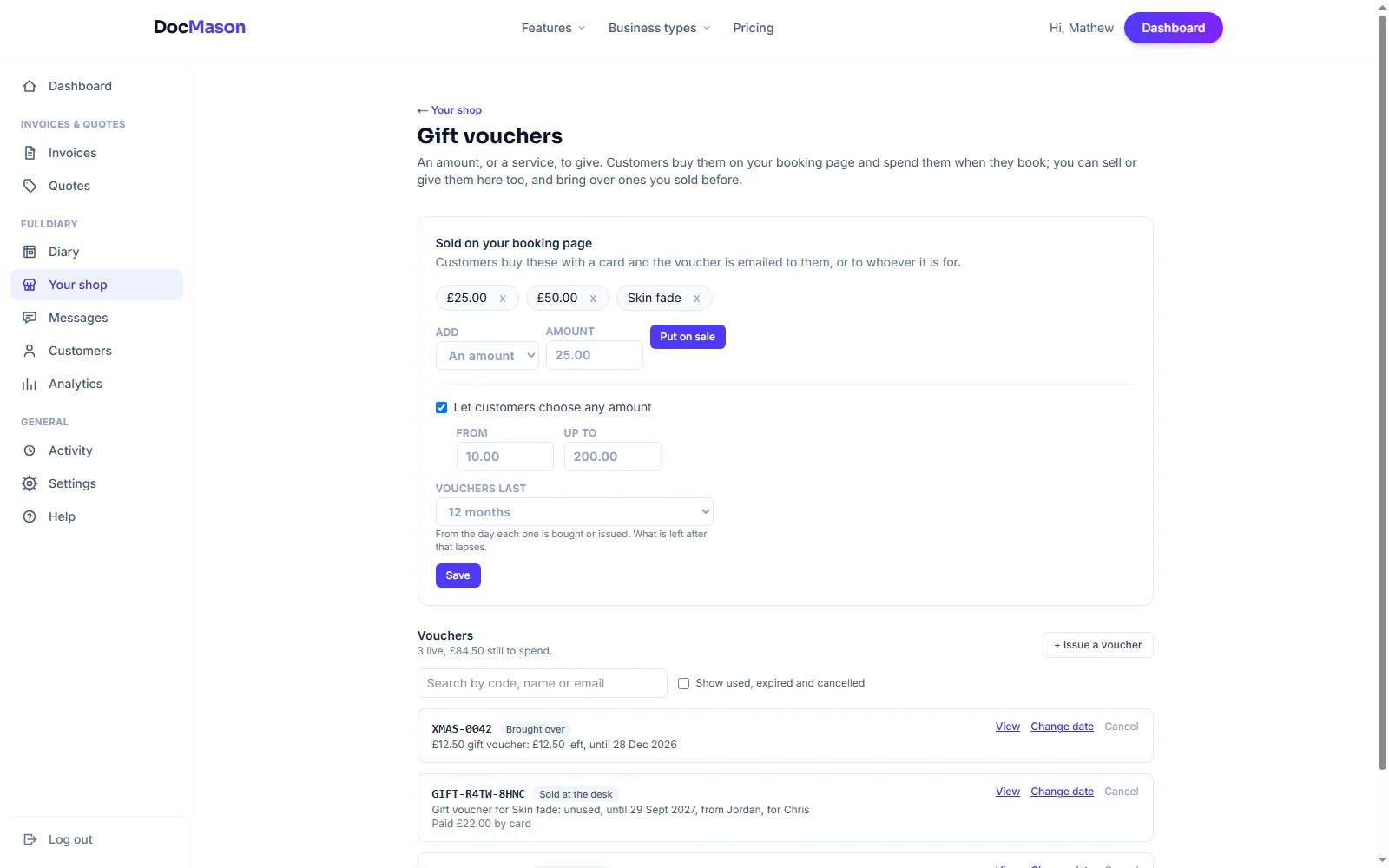
In your diary, open a booking and type a voucher's code into the Gift voucher box. It pays what is still owed, and Paid cash or Paid card then takes only the rest. The confirmation emails, the booking and an invoice made from it all show what the voucher paid. The list of vouchers shows what each one has left, what was paid for it and where it was emailed, and lets you resend it, change its date or cancel it. A refund, if you give one, is done in your Stripe account.
Setting it up
Gift vouchers are part of Pro. Open Your shop (it takes your business's word, so it might say Your salon or Your studio), choose Sell more, then Gift vouchers, and put an amount or a service on sale. Selling online needs card payments connected, the same as deposits; issuing vouchers at the desk does not.
For now, vouchers are sold and taken on the website. In the FullDiary app, a booking paid with a voucher shows its full price.
Questions people ask
- Can someone who has never booked with me buy a voucher for a friend?
- Yes. Anyone can buy one on your booking page, and it can be emailed straight to the person it is for, with a message, now or on a date they choose.
- What happens to the money left on a voucher?
- It stays on the voucher for the next booking until it runs out or the voucher expires. A voucher for a service pays for that service in one go.
- Can I bring over vouchers I sold before FullDiary?
- Yes. Issue a voucher, choose Bought before FullDiary, and type its old code and what is left on it, so customers can use the voucher they already have.
- Which plan is it on?
- Gift vouchers are part of Pro, at £9.99 a month a person. Vouchers you have already sold stay good if you ever leave Pro.
Read next
Written by
Matt SucklingDirector, DocMason and FullDiary
Matt runs Cynical Software Ltd, the Perthshire company that makes DocMason and FullDiary, and builds both.