New feature4 minute read
Discount codes: a simple way to keep customers coming back
FullDiary now has discount codes. Take a percentage or an amount off a booking or a package, for anyone or only your regulars, typed on your booking page or applied by itself. Here is how they work, and five ways to use them.

Director, DocMason and FullDiary
For most appointment businesses, the diary is filled by people who have been before. Winning a new customer takes an advert, a post or a friend's recommendation. Keeping one mostly takes a good reason to come back, and a well-timed discount is one of the simplest reasons you can give.
A customer asked us for discount codes, so we built them to work everywhere a price does: on your booking page, in your diary and on packages. Every discount is recorded, so the books still add up at the end of the month.
What a code can do
- Take a percentage off (10%, say) or an amount off (£5) the whole booking, or a package.
- Work on bookings, packages or both, and on every service or only the ones you pick.
- Be for anyone, or only for existing customers (anyone who has booked with you before), Regulars (five or more finished bookings), VIPs (your top tenth by spend over the last year) or people with a standing appointment.
- Apply itself. Set a code for a group to apply automatically, and the discount goes on as soon as that customer's email is in, with nothing to type.
- Stop when you say: a total number of uses (one, for a one-off), once per customer, a minimum spend, and the dates it runs between.
What your customers see
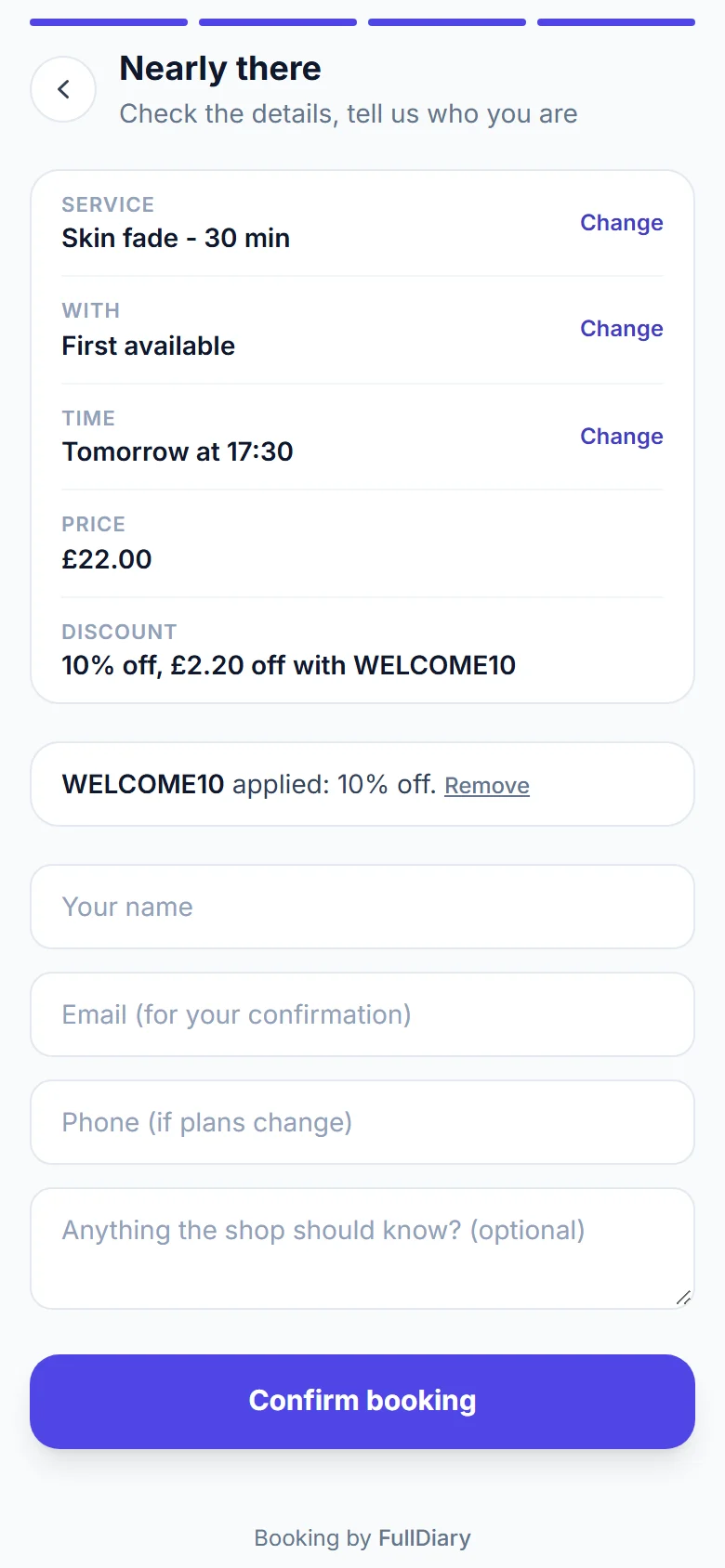
Once someone has picked a service on your booking page, a "Have a discount code?" box sits with the price. They type the code and see what comes off and what is left to pay before they confirm. If a code is not theirs to use, it says why in one line. A deposit never comes to more than the discounted price, and the confirmation email shows the discount.
In your diary
Open a booking that has not been paid and use the Discount box: type a code, an amount off (5.00) or a percentage (10%). Your staff can give one too, and Remove puts the price back. One code per booking.
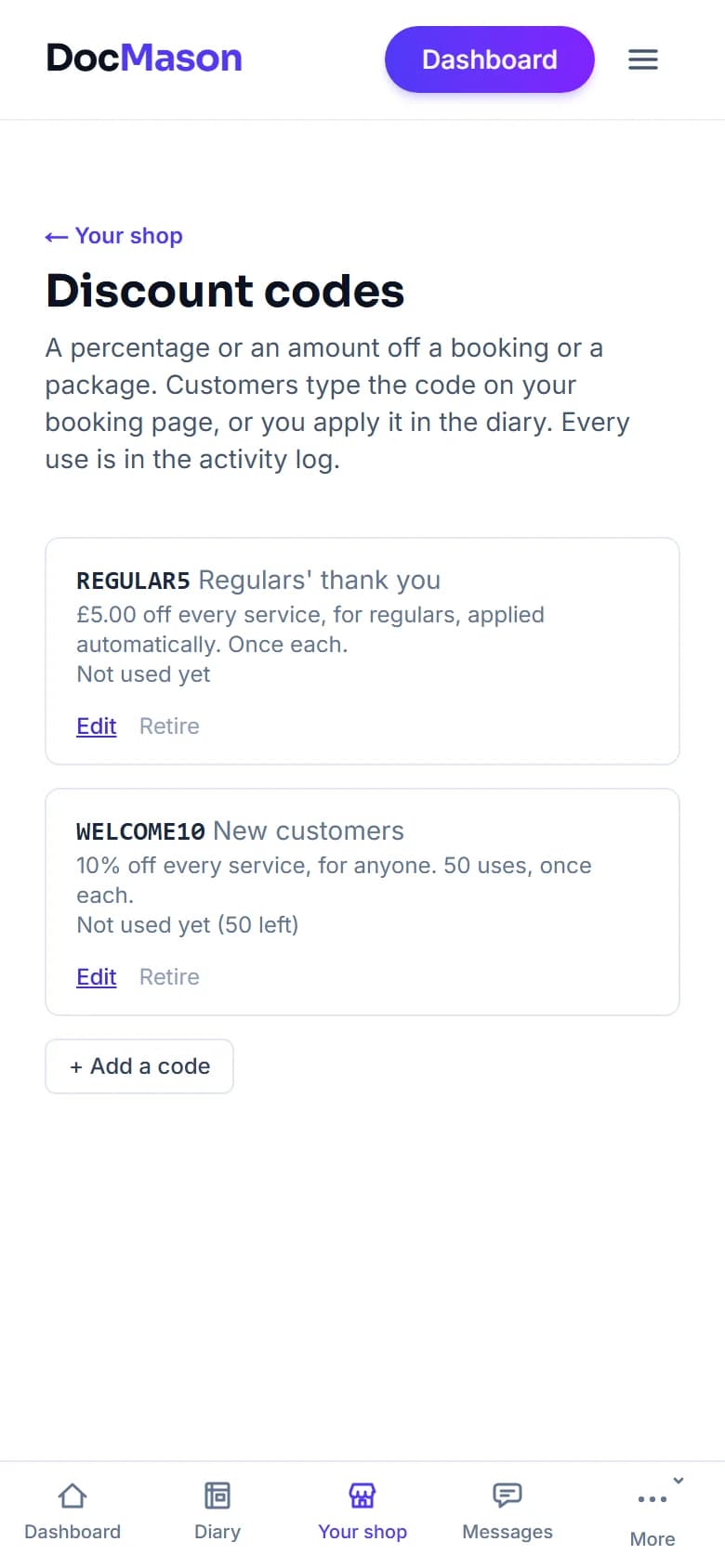
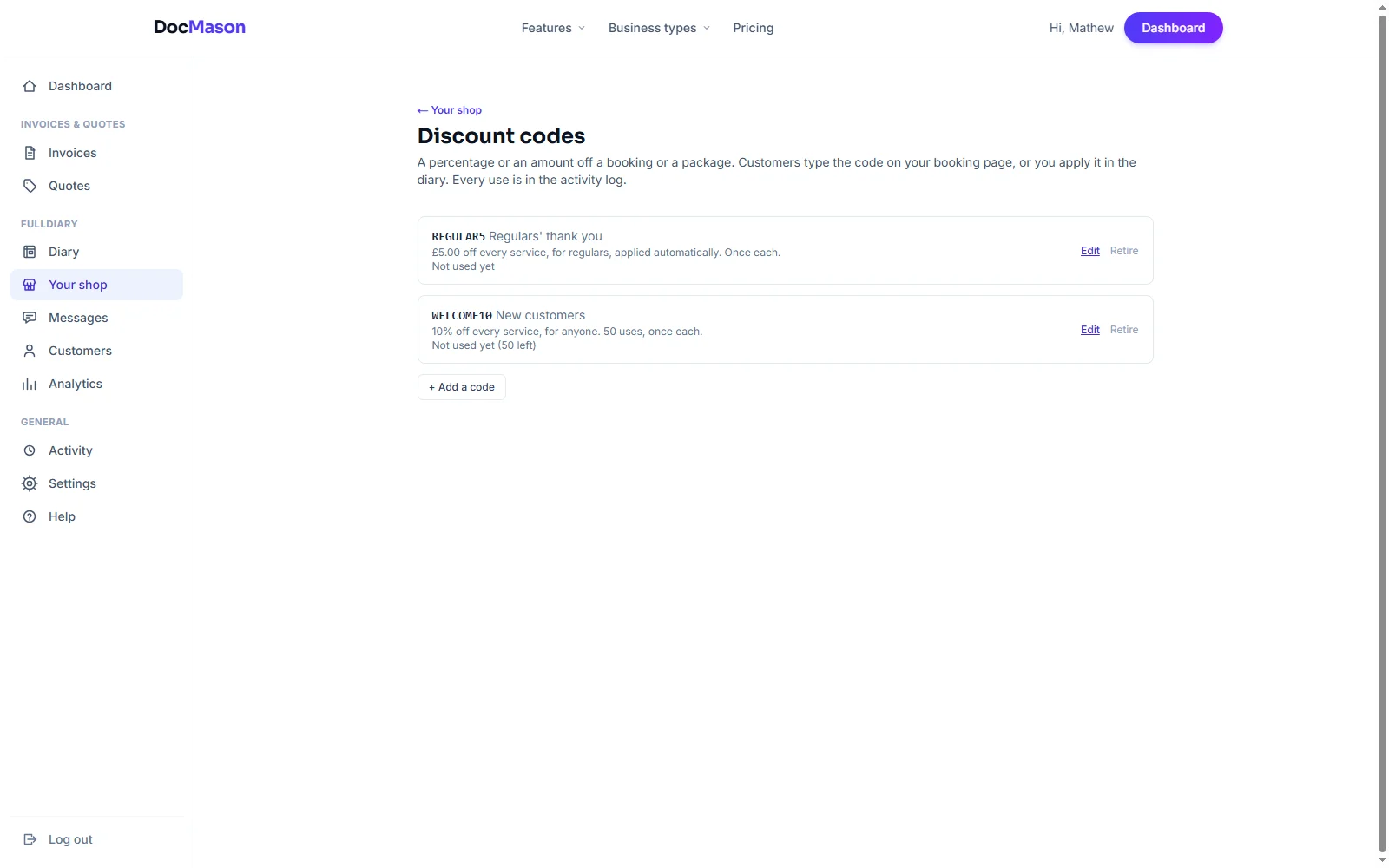
Every discount, typed or automatic, goes in the activity log with who gave it. When you turn a booking into an invoice, the service shows at its full price with the discount as its own line. And the Discount codes page shows how many times each code has been used and how much it has taken off.
Five ways to use them
- Thank your best customers. An automatic 10% for your VIPs, and they get it the next time they book, without you having to remember.
- Bring a first-timer back. A code for existing customers, once each, handed over at the end of a first visit: a reason to book the second.
- Fill a quiet week. A code that runs for the next seven days, shared on your social pages, with a cap on uses so it stays special.
- Win someone back. A one-off code, good for a single use, for a customer you have not seen in a while.
- Sell more packages. Money off a block of sessions paid up front, for the Regulars most likely to take one.
Setting one up
Discount codes are part of Pro. Open Your shop (it takes your business's word, so it might say Your salon or Your clinic), choose Discount codes, then Add a code. Give it a name people will remember, like SPRING10, and choose what it takes off, what it works on and who can use it. Retire a code whenever you like: every use it already had stays on record.
The FullDiary app shows discounted prices in your diary. Setting up codes and giving a discount are on the website for now.
Questions people ask
- Are discount codes free?
- Discount codes are part of Pro, at £9.99 a month a person. On the free plan you can see the page, with a note about what Pro adds.
- Can a code be used only once?
- Yes. Set the total number of uses to one for a one-off code. Once per customer is on by default for every code.
- Can I give a discount without a code?
- Yes. Open a booking in the diary that has not been paid and type an amount off (5.00) or a percentage (10%) into the Discount box.
Read next
Written by
Matt SucklingDirector, DocMason and FullDiary
Matt runs Cynical Software Ltd, the Perthshire company that makes DocMason and FullDiary, and builds both.