FullDiary - the booking system by DocMason
The appointment book
that fills itself
FullDiary gives your shop a booking page and a live diary. Share one link: customers pick a time that is genuinely free, the confirmation sends itself, and the booking lands straight in the book you run your day on.
Free for 20 bookings a month, one person. No card.
Sound familiar?
Right now, the booking system is you
The book works until the shop gets busy. Then every booking interrupts a paying customer, lives in three different inboxes, and depends on someone remembering to turn up.
The phone rings mid-cut
You stop, wipe your hands, flip through the book, read out three times that do not suit. The customer in the chair waits, and the one on the phone books nowhere.
The 9pm 'you free tomorrow?'
Instagram, WhatsApp, a text to your personal number. You are the booking system, and the booking system never gets to clock off.
The quiet no-show
Booked two weeks ago, forgot, told nobody. The chair sits empty for an hour and the money walks out with it.
How it works
Live before the next customer walks in
Put your shop up
Your services with prices, your people, your opening hours. One settings page, about ten minutes, nothing to install.
Share one link
In your bio, on WhatsApp, or as a printed QR card by the till. Customers only ever see times that are genuinely free.
Run the day in the book
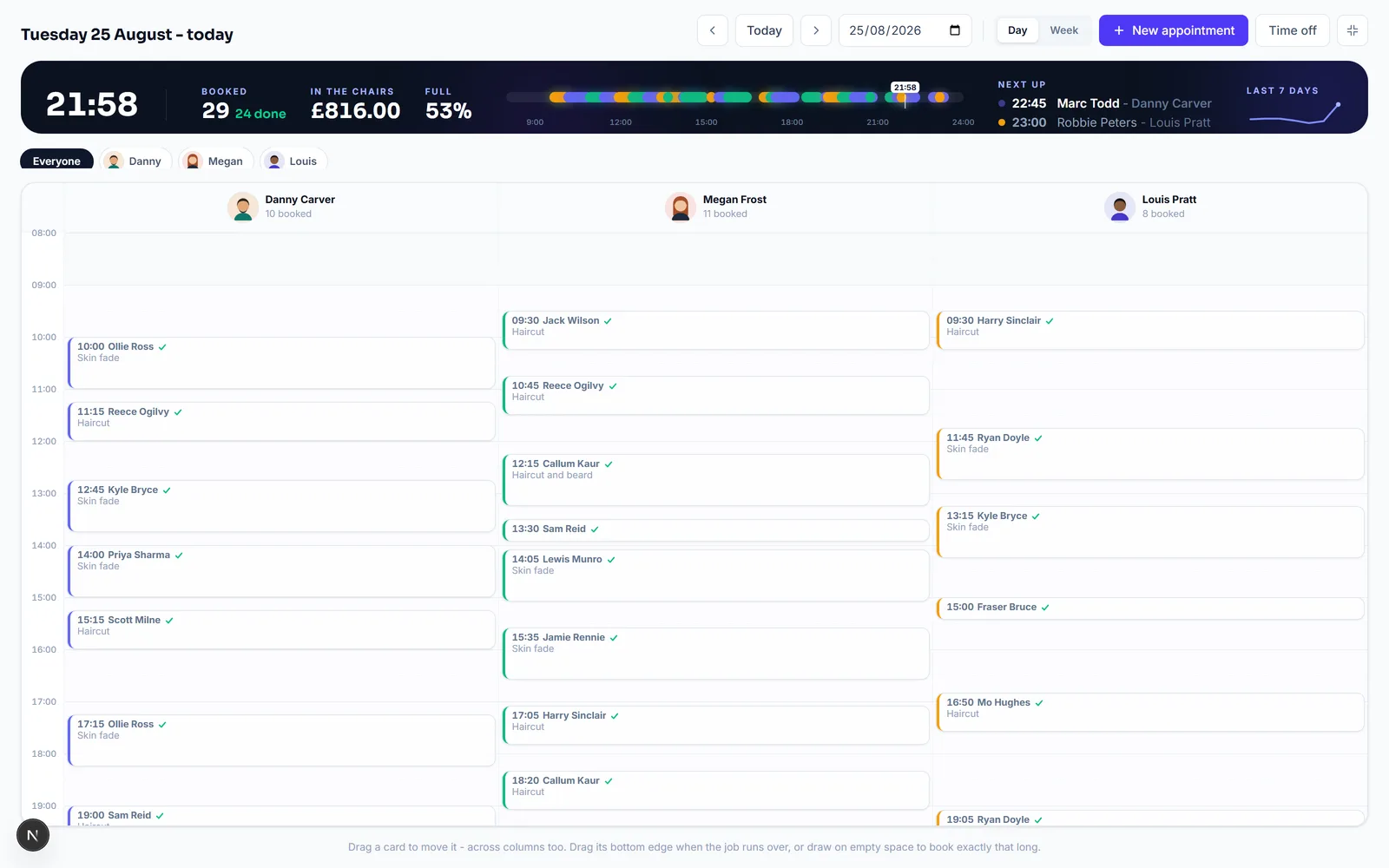
Every booking lands in the live diary. Drag to move, draw to add a walk-in, mark done or no-show as the day goes.
The other half
The screen your shop lives on
Online bookings are only half the job. The diary is the other half: the whole day in each person's colour, a clock, and what is next - made to sit open on the shop's screen from open to close.
A real screen recording: a booking dragged to another chair, dropped, and the diary and emails sort themselves out.
What comes with it
Everything a busy shop leans on
Reminders that end no-shows
The day before, the morning of - you choose the timing. Cancelled and moved bookings sort their own reminders out. Included with Growth.
Deposits into your own Stripe
A customer with money down turns up. Deposits charge through your own Stripe account, so it lands with you, not us.
A QR card for the counter
Print it straight from your dashboard and stand it by the till. 'Book your next one before you leave' does your rebooking for you.
Every store in one book
More than one shop? Each store keeps its own hours, staff and diary, and your booking page asks customers which one they want.
The numbers, without a spreadsheet
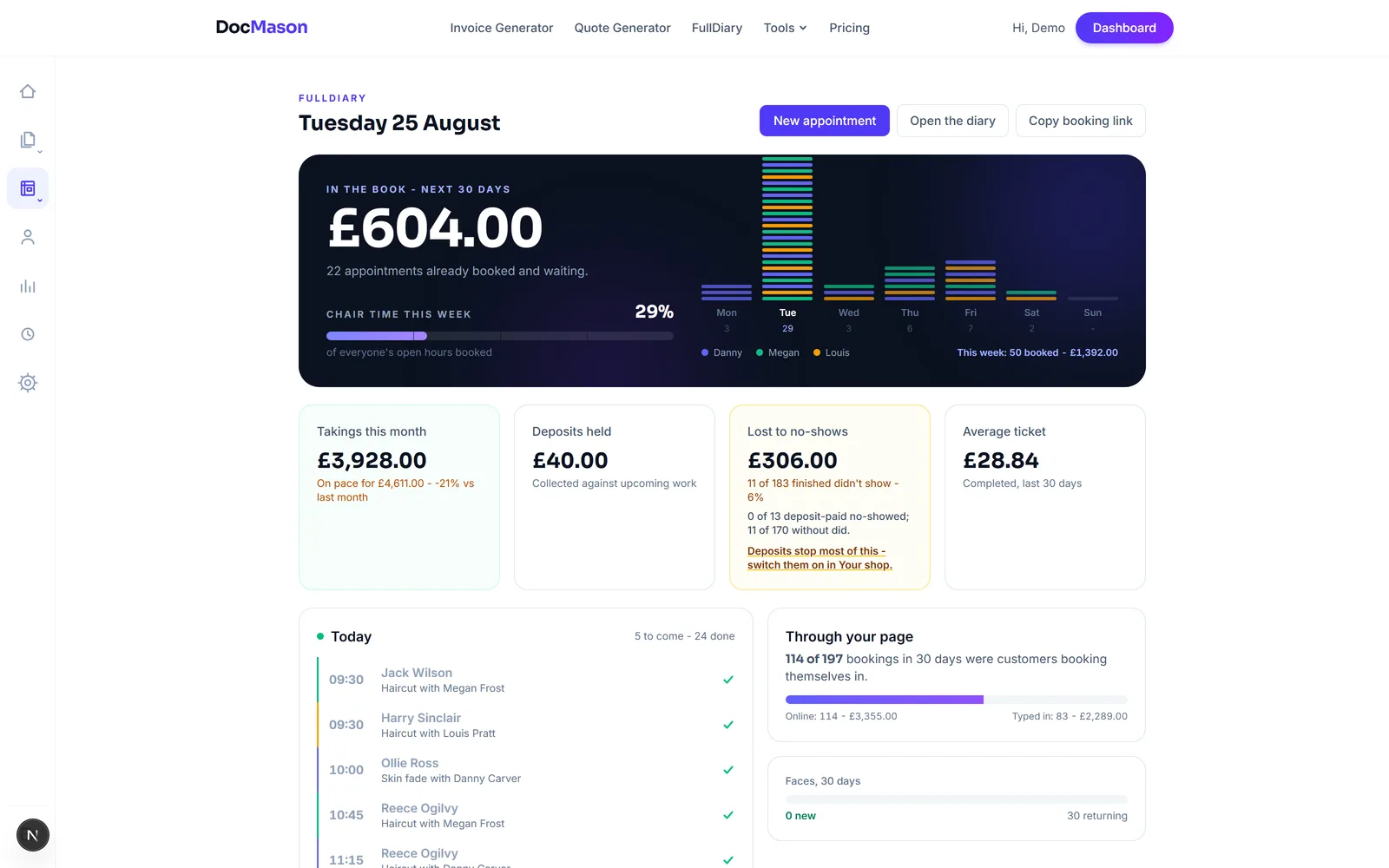
What is in the book this month, your busiest hours, your regulars, what no-shows cost you in pounds. One overview page, updated live.
Finished bookings become invoices
One click turns a completed appointment into a draft invoice, customer and price already filled in. FullDiary lives inside DocMason, so booking and invoicing are one product.
And because it is DocMason underneath: invoices, quotes and the rest of the suite on the same login.
Straight from the product
Screenshots, not drawings
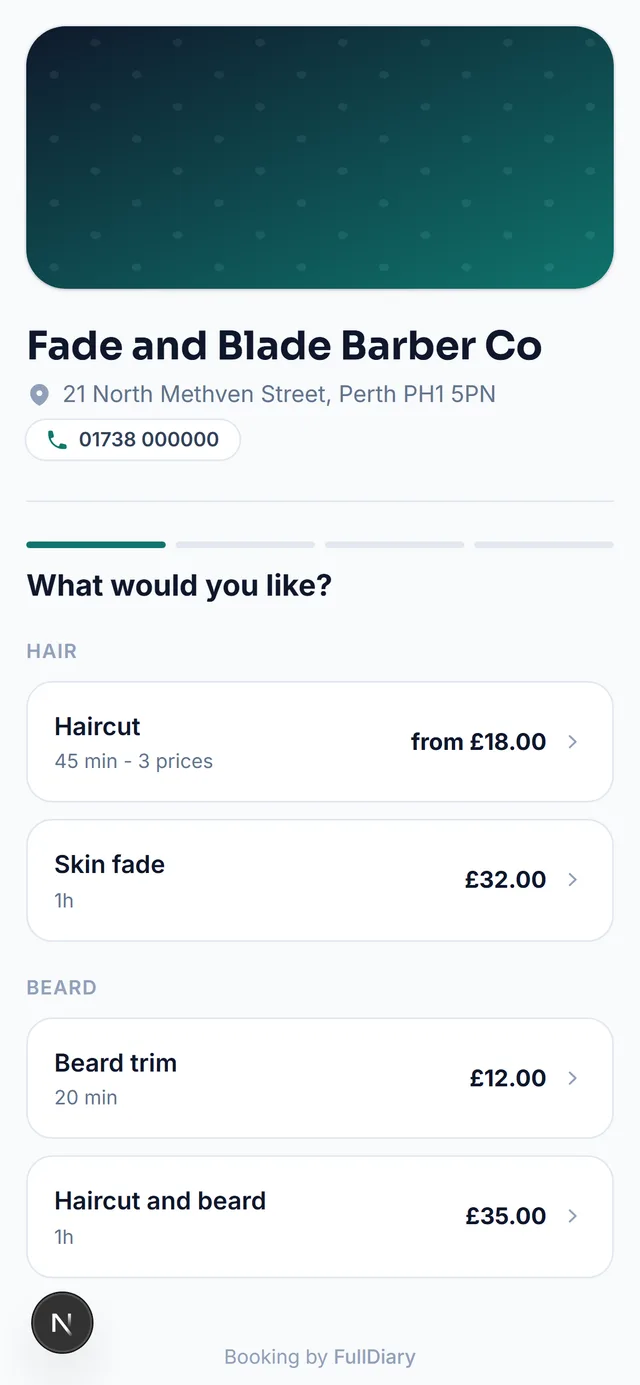
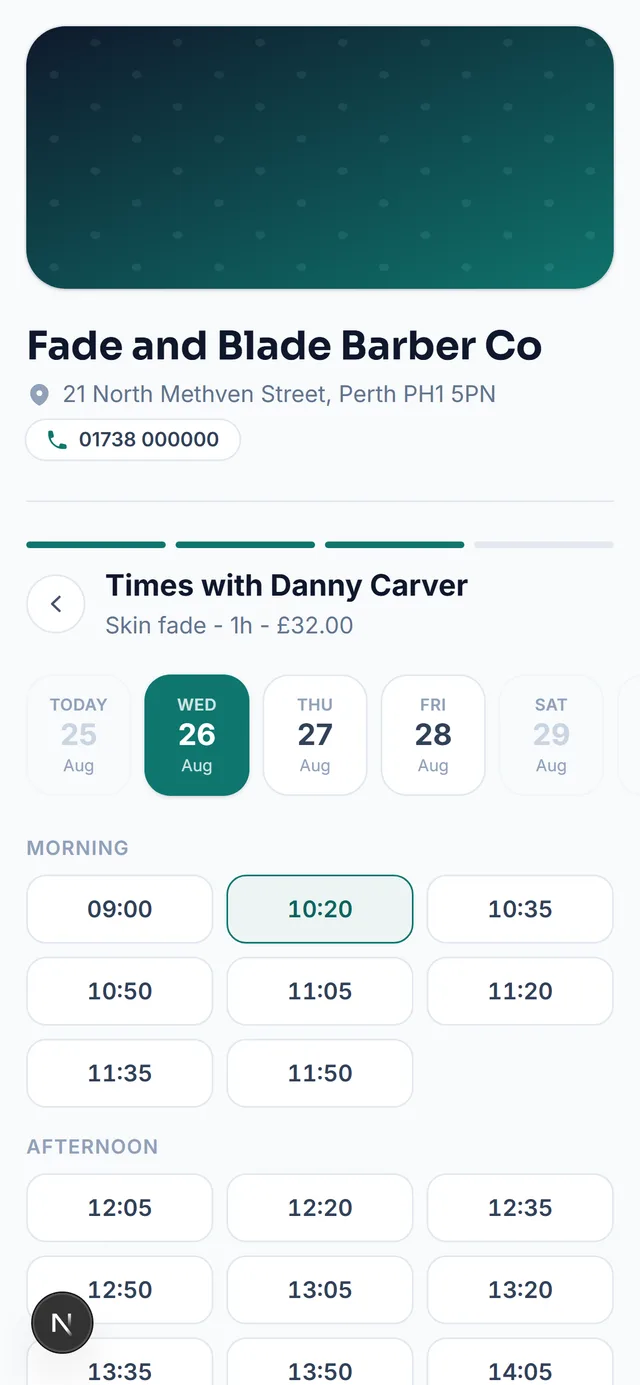
This is FullDiary running a demo barbershop: the owner's overview on the left, and what a customer holds in their hand on the right.
Pricing
Start free, no surprises
Free
£0
No card, no catch
- A booking page, the live diary and a printable QR card
- 20 bookings a month for one person, one store
- Confirmation emails with add-to-calendar files
Growth
£39.99 /month
When the book runs the business
- Unlimited bookings, up to 5 staff and 3 stores
- Automatic reminders before every visit
- Plus the whole suite: invoices, quotes, QuoteChaser
Starter at £9.99 makes bookings unlimited for a one-person shop; Business at £99 removes every limit. Full matrix on the pricing page.
FAQs
Questions, answered straight
What customers see, what it costs, deposits, walk-ins and moving your customer list over - answered without the sales gloss.
Something else on your mind? Ask a human.
Do my customers need an app or an account?
No, and that is the point. Your link opens a normal web page: they pick a service, a person and a time that is genuinely free, and type their name. They get a confirmation email with an add-to-calendar file and a link to cancel or move the booking themselves. Nothing to download on either side.
What does FullDiary cost?
Free gets a one-person shop a booking page, the live diary and 20 bookings a month, forever. Starter at 9.99 GBP a month makes bookings unlimited for one person. Growth at 39.99 GBP covers up to 5 staff and 3 stores and adds automatic reminders. Business at 99 GBP removes every limit. Every plan sends confirmation emails.
Can I take deposits?
Deposit and pay-in-full modes are built in, and they charge through your own Stripe account, so the money lands with you rather than passing through us. Stripe is running its final checks on our platform right now, so the pricing page marks deposits as coming soon rather than pretending. Until then, a service marked for deposits still takes the booking and tells you no payment was collected.
What about walk-ins and phone bookings?
The diary is built for them. Drag across an empty space, type a name, done: the booking sits in the same book as the online ones, in the same colours, counted in the same totals. FullDiary runs the whole day, not just the part that arrives through the link.
Will customers get reminders?
On Growth and Business, yes, automatically. You choose the timing, like the day before or the morning of, and the emails carry the time, the place and a manage link. If a booking is cancelled or moved, the old reminders stop and the right ones take over. Nobody gets reminded about an appointment that no longer exists.
I already use DocMason for invoices. How does this fit?
Same account, same customers, one more page in the rail. When an appointment is finished, one click turns it into a draft invoice with the customer and the price already filled in. The barber who books is the barber who invoices, and with FullDiary that is one product instead of two subscriptions.
Can I bring my customer list from my old system?
Yes. Export it as a CSV and import it on the Customers page: the column mapping is shown so you can correct it, and any skipped row is reported with its line number. Nobody retypes 800 clients, and the import is free on every plan.
Put your booking page live tonight
Services, people, hours - about ten minutes, no card, and the first 20 bookings a month are free forever.